
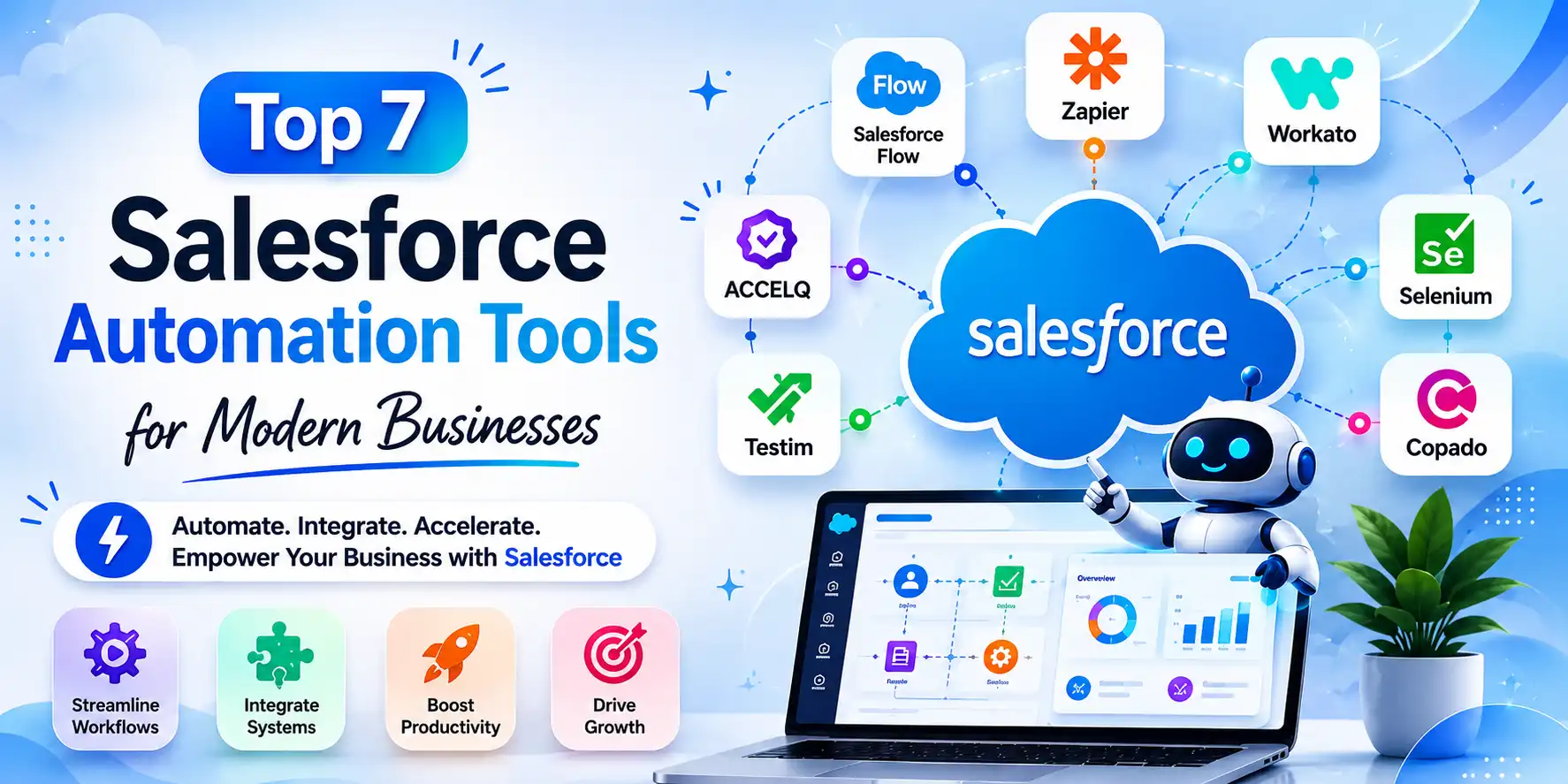
Today’s organizations have access to huge volumes of customer information, sales activities, service requests, and other data. Manual processing takes time and leads to more mistakes. Salesforce automated testing tools help organizations automate their mundane processes. Salesforce automation enables organizations to handle 1.3 trillion daily processes, reducing manual tasks and improving efficiency.
The growth in the adoption of digitalization means that there is always a growing need for intelligent automated systems in Salesforce. Salesforce automation helps businesses achieve agility, data intelligence, and customer focus through process automation. Let’s see the top Salesforce automation tools that help your business to do so.
Table of Contents
What are Salesforce Automation Tools?
Salesforce automation tools refer to the technology to automate routine business processes. This also involves managing the workflow, testing, integration, and other customer management processes within Salesforce. The software helps the Salesforce development company to optimize its processes and make them more productive.
Businesses use automation tools in Salesforce for multiple purposes, including:
- Workflow automation
- Lead management
- Sales forecasting
- Customer support automation
- Data synchronization
- Salesforce testing automation
- Marketing automation
- Approval processes
- Reporting and analytics
The increasing complexity of business CRM settings has highlighted the value of intelligent automation. Firms are investing substantially in AI-powered automation solutions to increase scalability and speed up decision-making.
Why Businesses Need Salesforce Automation?
Here are some of the Salesforce automation tools that businesses get.
Reduced Manual Workload
Sales and customer service personnel often spend long periods of time on mundane tasks. Such as data entry, lead management, approvals, and workflow management. Automated Sales Force cuts down such redundant tasks, making employees free for other significant activities related to the business.
Improved Workflow Efficiency
A company can quicken approvals, set up automated notifications, and create intelligent workflows. It will help avoid unnecessary delays and facilitate inter-departmental cooperation.
Better Customer Experience
With Salesforce implementation services, firms can offer prompt solutions, communicate, and have a great user experience. It will significantly raise customer satisfaction levels.
Faster Testing and Deployment
Because of increased Salesforce customizations, companies are adopting Salesforce automation testing solutions. This facilitates reliability, functionality, and quick deployment of the application.
Best Salesforce Automation Tools Businesses Should Consider
Here are some of the top automation tools for Salesforce testing with Salesforce integration services that businesses must know.
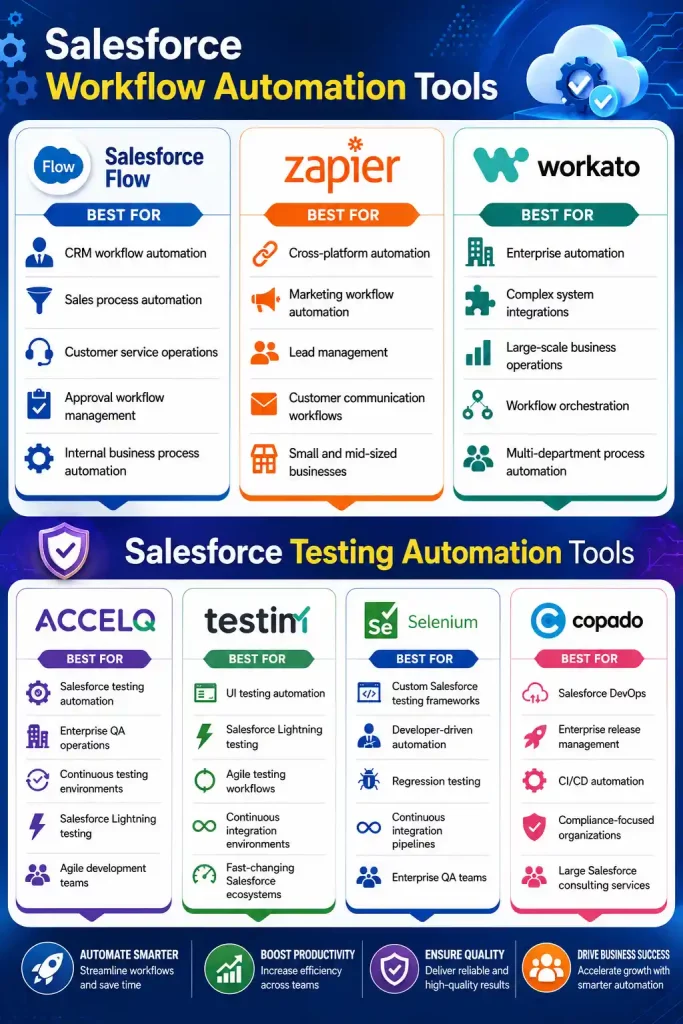
Salesforce Workflow Automation Tools
Salesforce Flow
Salesforce Flow is among the most powerful native Salesforce automation tools available. It allows businesses to automate workflows, approvals, task assignments, notifications, and user interactions in a visual low-code interface.
Salesforce Flow helps automate repetitive manual operations and create intelligent workflows. The platform enables enterprises to create automated business logic without requiring considerable code. It makes the tool fit for both technical and non-technical teams.
Key Features of Salesforce Flow
- Drag-and-drop workflow builder
- Automated approval processes
- Record-triggered workflows
- Task and notification automation
- Integration with Salesforce CRM data
- Guided screen flows for users
- Real-time workflow orchestration
Business Benefits
Salesforce Flow enables businesses to accelerate workflow execution and increase data accuracy. Also, it ensures process consistency throughout their enterprise operations. It allows businesses to automate client journeys and internal company procedures at scale.
Best For
- CRM workflow automation
- Sales process automation
- Customer service operations
- Approval workflow management
- Internal business process automation
Zapier
Zapier is a popular no-code automation solution for Salesforce that links it to multiple third-party platforms. It enables businesses to automate data synchronization, lead management, and reporting activities.
Zapier makes cross-platform automation easier by enabling organizations to create automated workflows called “Zaps.” And when events occur in Salesforce, these workflows automatically initiate activities.
Key Features of Zapier
- No-code workflow automation
- Multi-application integrations
- Automated lead synchronization
- CRM and marketing automation
- Task and notification triggers
- Workflow templates for faster deployment
- Real-time data transfer between platforms
Business Benefits
Zapier enables businesses to eliminate human data entry and build connected digital ecosystems without complex initiatives. It is beneficial for startups and developing organizations looking for affordable and scalable automation solutions.
Best For
- Cross-platform automation
- Marketing workflow automation
- Lead management
- Customer communication workflows
- Small and mid-sized businesses
Workato
Workato is an enterprise-grade automation technology that helps firms manage complex, large-scale operations. It combines integration with intelligent process automation to assist businesses in streamlining their operations.
Workato enables comprehensive enterprise interfaces with Salesforce, ERP systems, HR platforms, analytics tools, and Salesforce cloud apps. Its automation capabilities enable firms to orchestrate enterprise-wide procedures for data consistency.
Key Features of Workato
- Enterprise workflow automation
- AI-powered workflow orchestration
- Salesforce ERP integrations
- Advanced API connectivity
- Intelligent business process automation
- Cloud and hybrid system support
- Real-time enterprise data synchronization
Business Benefits
Workato helps businesses automate operational procedures, remove silos, and speed up digital transformation. It’s ideal for enterprises that manage huge volumes of business processes and integrations.
Best For
- Enterprise automation
- Complex system integrations
- Large-scale business operations
- Workflow orchestration
- Multi-department process automation
Salesforce Testing Automation Tools
ACCELQ
ACCELQ is a leading Salesforce automation testing tool that uses AI and no-code automation to simplify testing processes. As Salesforce environments become dynamic, businesses need intelligent testing solutions that reduce manual testing efforts. ACCELQ offers end-to-end testing support for Salesforce workflows, APIs, and Lightning. As Salesforce settings grow personalized, businesses demand intelligent testing solutions for application stability.
Key Features of ACCELQ
- AI-driven test automation
- No-code test creation
- End-to-end Salesforce testing
- Regression testing automation
- API and integration testing
- Self-healing automation capabilities
- Continuous testing support
Business Benefits
ACCELQ assists enterprises in reducing testing cycles, accelerating Salesforce releases, and maintaining application stability. Its AI-powered automation decreases maintenance efforts while increasing testing accuracy.
Best For
- Salesforce testing automation
- Enterprise QA operations
- Continuous testing environments
- Salesforce Lightning testing
- Agile development teams
Testim
Testim is another innovative platform among modern Salesforce test automation tools that uses AI to streamline Salesforce testing and UI validation. The technology instantly adapts to interface changes and effectively supports changing Salesforce settings.
Businesses use Testim to automate testing of Salesforce apps, Lightning interfaces, workflows, and user-facing features. Its AI-powered self-healing features reduce script failures by improving long-term test stability.
Key Features of Testim
- AI-based UI testing
- Self-healing test automation
- Cross-browser testing support
- Fast test execution
- Salesforce Lightning testing
- Agile and DevOps compatibility
- Intelligent test maintenance
Business Benefits
Testim enables businesses to increase testing speed, decrease manual QA efforts, and ensure application reliability with frequent Salesforce updates. The platform is particularly suitable for firms that work in agile development settings.
Best For
- UI testing automation
- Salesforce Lightning testing
- Agile testing workflows
- Continuous integration environments
- Fast-changing Salesforce ecosystems
Selenium
Selenium remains one of the most popular open-source automation technologies for Salesforce testing. It enables developers and QA teams to design unique automated testing scripts for Salesforce applications and workflows.
Although Selenium needs coding skills, it offers tremendous automation capabilities for testing frameworks. Organizations frequently mix Selenium with other testing tools to create scalable automated testing environments.
Key Features of Selenium
- Open-source automation framework
- Cross-browser testing
- Customizable testing scripts
- Integration with CI/CD pipelines
- Multi-language programming support
- Automated regression testing
- Scalable testing environments
Business Benefits
Selenium helps businesses automate repetitive testing, increase testing coverage, and enhance continuous delivery. Its flexibility makes it ideal for firms with skilled QA and development teams.
Best For
- Custom Salesforce testing frameworks
- Developer-driven automation
- Regression testing
- Continuous integration pipelines
- Enterprise QA teams
Copado
Copado is a DevOps and automation software developed exclusively for Salesforce environments. It enables enterprises to automate testing, deployment, and development workflows while adhering to governance rules.
Copado blends Salesforce DevOps, AI-driven automation, and testing management that speeds up software delivery.
Key Features of Copado
- Salesforce DevOps automation
- Continuous integration and deployment
- Automated release management
- AI-driven testing insights
- Compliance and governance support
- User story tracking
- Environment management
Business Benefits
Copado enables enterprises to accelerate Salesforce deployments, decrease release risks, improve development collaboration, and keep Salesforce environments reliable during continuous updates.
Best For
- Salesforce DevOps
- Enterprise release management
- CI/CD automation
- Compliance-focused organizations
- Large Salesforce consulting services
Salesforce Automation Tools Comparison
| Tool Name | Automation Type | Key Features | Business Benefits | Best For |
| Salesforce Flow | Native Workflow Automation | Drag-and-drop workflows, approval automation, record-triggered flows, CRM integration | Improves workflow efficiency, reduces manual tasks, enhances process consistency | CRM workflow automation, approvals, customer service operations |
| Zapier | No-Code Integration Automation | Multi-app integrations, automated lead syncing, workflow templates, real-time data transfer | Eliminates manual data entry, improves cross-platform connectivity, supports scalable automation | Marketing workflows, lead management, SMB automation |
| Workato | Enterprise Workflow Automation | AI-powered orchestration, API connectivity, ERP integrations, enterprise automation | Removes operational silos, accelerates digital transformation, supports enterprise scalability | Enterprise operations, multi-department workflows, complex integrations |
| ACCELQ | AI-Powered Testing Automation | No-code testing, self-healing automation, API testing, regression testing | Reduces testing cycles, improves release quality, enhances application stability | Enterprise QA, Salesforce testing automation, agile teams |
| Testim | AI-Based UI Testing | Self-healing tests, cross-browser testing, Lightning testing, fast execution | Improves testing speed, reduces QA efforts, ensures stable deployments | Agile testing, Salesforce Lightning testing, CI environments |
| Selenium | Open-Source Test Automation | Custom test scripts, cross-browser testing, CI/CD integration, regression automation | Increases testing coverage, supports scalable QA automation, improves delivery speed | Developer-driven automation, enterprise testing frameworks |
| Copado | Salesforce DevOps & Release Automation | CI/CD automation, release management, AI testing insights, governance support | Accelerates deployments, minimizes release risks, improves team collaboration | Salesforce DevOps, enterprise release management, compliance-focused businesses |
Salesforce Automation Trends in 2026
Businesses are increasingly investing in advanced Salesforce Automation Tools to automate repetitive processes, streamline customer journeys, and reduce manual dependency across departments.
Rise of Salesforce AI Automation
One of the biggest trends shaping the industry is the rise of Salesforce AI Automation. Artificial intelligence is transforming how businesses manage customer relationships by enabling predictive lead scoring, automated customer recommendations, intelligent ticket routing, and personalized communication. As customer expectations continue to rise, businesses are increasingly adopting AI-powered Salesforce automation tools to remain competitive in digitally evolving markets.
Growth of Agentforce Automation
Another major trend is the rapid adoption of Salesforce Flow Automation. Businesses are replacing outdated workflow systems with flexible low-code automation environments. It allows teams to build advanced workflows with minimal technical expertise. Also, Salesforce Flow is becoming central to modern Salesforce Workflow Automation strategies.
Hyperautomation Across Enterprise Operations
Enterprises are also embracing hyperautomation, where multiple technologies Such as AI, analytics, CRM systems, and workflow management tools work together to create end-to-end automated business ecosystems. As a result, Enterprise Salesforce Automation is becoming more scalable, interconnected, and business-focused than ever before.
Focus on Low-Code and No-Code Automation
At the same time, automation testing is emerging as a critical priority. Businesses customize Salesforce environments and integrate third-party systems, ensuring stability becomes essential. It is driving the demand for advanced Salesforce testing automation tools that help organizations reduce deployment risks.
Challenges Businesses Face with Salesforce Automation
Here are some of the common challenges faced while integrating Salesforce automation tools.
Managing Complex Customizations
Highly customized Salesforce setups offer advanced automation methodologies and hybrid testing methods. Many top Salesforce development companies have learned that “no-code” automation alone cannot serve complicated corporate use cases.
Integration Complexity
Enterprises typically link Salesforce with ERP systems, marketing platforms, support software, and analytics tools. Managing these integrations while ensuring workflow consistency can be tricky.
Continuous Platform Updates
Salesforce releases many platform changes each year. It makes constant testing and automation maintenance essential for corporate stability.
User Adoption
Organizations frequently struggle with employee adoption during automation shifts. Proper training and process planning are required to maximize automation success.
Industry Use Cases
Businesses across industries are using Salesforce Automation Tools to improve customer engagement, streamline operations, and enhance overall productivity.
Retail
In retail and ecommerce, automation is helping brands create personalized shopping experiences and improve customer retention. Businesses use Salesforce CRM Automation to automate customer segmentation, abandoned cart communication, loyalty workflows, and omnichannel engagement strategies. This allows retailers to deliver more targeted customer experiences while improving operational efficiency behind the scenes.
Healthcare
Healthcare organizations are increasingly investing in Salesforce Workflow Management systems to improve patient communication and reduce administrative workload. Automation supports appointment reminders, patient onboarding, claims processing, service ticket routing, and internal approvals. By implementing intelligent workflow systems, healthcare providers can improve service delivery while maintaining compliance and operational accuracy.
BFSI
In banking and financial services, automation is helping organizations simplify highly regulated processes such as customer onboarding, loan approvals, compliance tracking, and fraud monitoring. Many financial institutions rely on Enterprise Salesforce Automation to manage complex workflows while improving customer engagement through personalized financial services and AI-driven insights.
Manufacturing
Manufacturing companies use automation to improve distributor communication, inventory coordination, sales operations, and service management. Advanced Salesforce Integration Automation allows manufacturers to connect ERP systems, logistics platforms, and CRM environments into one unified ecosystem. This improves operational visibility and enables faster business decision-making.
Native vs. Third-Party Salesforce Automation Testing Tools
Both approaches offer unique advantages, and the right choice depends on business goals, workflow complexity, scalability requirements, and integration needs.
Native Salesforce Automation Tools
Native tools are built directly within the Salesforce ecosystem and are designed to work seamlessly with existing CRM environments. These tools are ideal for businesses looking for centralized workflow management and easier deployment.
Key Advantages of Native Salesforce Tools
- Seamless integration with existing Salesforce CRM environments
- Simplified workflow management and administration
- Faster deployment with minimal configuration complexity
- Better data consistency across workflows and departments
- Reduced dependency on external vendors and platforms
Best Suited For
- Native automation tools are highly suitable for:
- Small to mid-sized businesses
- Organizations with straightforward workflow requirements
- Companies prioritizing centralized CRM management
- Businesses looking for cost-effective automation deployment
Third-Party Salesforce Automation Tools
Third-party platforms extend Salesforce capabilities by offering advanced customization, AI-driven workflows, and large-scale integration support.
These tools are often preferred by enterprises managing complex digital ecosystems and industry-specific workflows.
Key Advantages of Third-Party Automation Platforms
- Advanced workflow customization and flexibility
- Strong support for AI-powered Salesforce automation tools
- Enhanced analytics and intelligent reporting capabilities
- Better scalability for large enterprises and global operations
- Powerful Salesforce Integration Automation capabilities
Best Suited For
- Third-party automation platforms are ideal for:
- Large enterprises with complex workflows
- Businesses requiring advanced AI automation
- Organizations managing multiple integrations and platforms
- Companies needing industry-specific automation capabilities
How to Choose the Right Salesforce Automation Tool?
Selecting the right Salesforce Automation Software requires businesses to:
Identify Existing Operational Challenges
The first step in choosing the right automation platform is understanding current business pain points. Businesses struggling with manual workflows, delayed approvals, should get Salesforce managed services to evaluate. Identifying operational inefficiencies helps firms prioritize the most valuable Salesforce workflow automation features.
Evaluate Scalability and Future Growth
Scalability is one of the most important factors when selecting automation tools. Businesses planning rapid growth should invest in platforms that support omnichannel operations and enterprise-wide process management. Modern Enterprise Salesforce Automation solutions are designed to scale across departments.
Assess AI and Intelligent Automation Capabilities
AI is becoming a critical part of modern automation strategies.
Businesses investing in Salesforce AI Automation gain access to predictive analytics, automated customer insights, and smarter decision-making capabilities. AI-powered automation is shifting from a competitive advantage to a business necessity.
Analyze Integration Flexibility
Automation systems should integrate seamlessly with existing business technologies. Organizations should evaluate whether the platform supports strong Salesforce Integration Automation capabilities with ERP systems. Smooth integrations help eliminate operational silos and create a more connected business ecosystem.
Focus on Long-Term ROI
The cheapest solution may not always provide the best long-term value.
Organizations should evaluate automation platforms based on operational efficiency, scalability, customer retention, and productivity improvements over time. The best Salesforce automation tools for CRM are those that deliver measurable business value while supporting long-term digital transformation goals.
ROI of Salesforce Automation
Salesforce automation delivers long-term ROI by improving operational efficiency and enhancing customer experiences. Businesses using advanced Salesforce Automation Tools can reduce manual tasks and increase productivity across departments. Intelligent Salesforce CRM Automation also helps organizations personalize customer interactions and increase conversion rates. Additionally, automation reduces operational costs by minimizing repetitive work and improving resource allocation. With AI-driven insights and scalable workflow management, businesses can make faster decisions, improve collaboration, and achieve sustainable growth while maximizing the value of their digital transformation investments.
Future of Salesforce Automation
The future of Salesforce automation is becoming more AI-driven, scalable, and customer-centric. Modern businesses are increasingly adopting Salesforce AI Automation to improve predictive decision-making at scale. As digital transformation accelerates, automation will play a major role in supporting omnichannel engagement and enterprise-wide operational efficiency. Technologies such as low-code development, hyperautomation, and AI-powered analytics will continue reshaping how businesses manage CRM operations. Organizations investing in advanced Salesforce Automation Software today will be better positioned to adapt quickly.
Conclusion
The demand for intelligent Salesforce automation technologies is increasing as businesses seek faster workflows and smarter enterprise automation. If a company uses Salesforce automation testing tools, the correct automation strategy may dramatically enhance operational efficiency. Also, it promises to offer customer engagement and long-term scalability with the right choice.
FAQs
How do Salesforce automation tools benefit business operations?
Salesforce automation tools help businesses automate their repetitive tasks, optimize CRM efficiency, minimize human error, improve customer engagement, and increase operational efficiency.
Which are the best Salesforce automation tools for enterprises?
Some of the best Salesforce automation tools include Salesforce Flow, Workato, Zapier, ACCELQ, Copado, and Testim, depending on your enterprise’s requirements.
Why are Salesforce automation testing tools beneficial to businesses?
The Salesforce automated testing solutions allow businesses to optimize testing accuracy, accelerate deployment processes, minimize human quality assurance efforts, and maintain performance even in custom Salesforce environments.
How can businesses choose the right automation tools in Salesforce?
While choosing the right automation solutions in Salesforce, businesses must look at scalability, integration, AI capability, testing, security, workflow complexity, and long-term business goals.
Can automation tools for Salesforce testing enable business scalability?
Yes, new Salesforce automation tools enable corporate scalability through AI-powered testing, continuous integration, automated regression testing, and real-time workflow validation for complex Salesforce ecosystems.