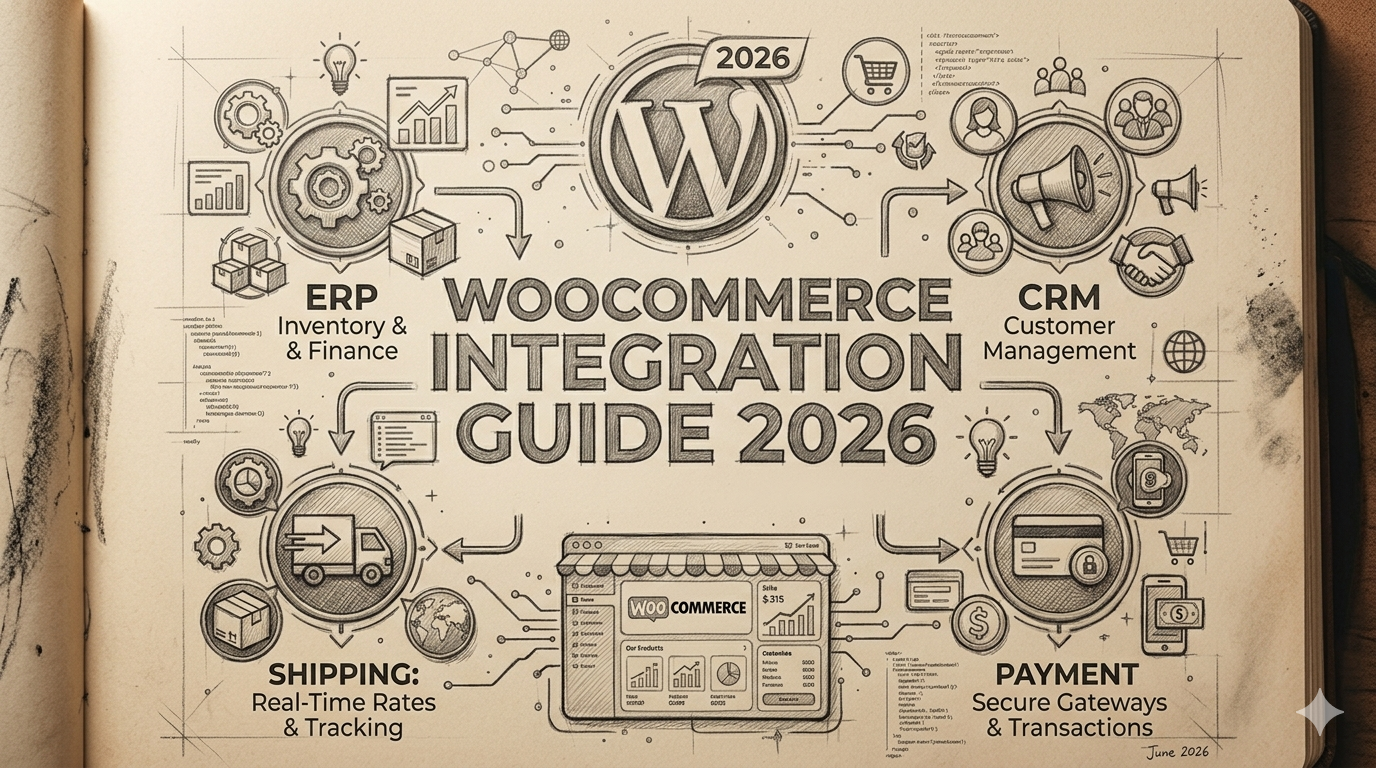
W3Techs data shows WooCommerce powers close to 39% of all online stores globally. That dominance is built on flexibility – WooCommerce will do almost anything if you are willing to make it.
The problem is that “willing to make it” often means stacking plugins until something breaks, and then spending weeks diagnosing whether the issue is in the plugin, the theme, the hosting environment, or the combination of all three.
Most WooCommerce integration failures are not WooCommerce problems. They are architecture problems.
The store started with a plugin for inventory sync, added another for CRM, added a third for shipping labels, and by 200 orders a day the plugins are stepping on each other, data is arriving out of sequence, and the operations team is manually correcting records it trusted the system to handle.
This guide covers the full picture: what a proper integration looks like, which systems connect to what, what it costs, how long it takes, and what to check before you go live.
Quick Reference Table
| Plugin | Middleware (Zapier/Make) | Custom REST API | |
|---|---|---|---|
| Best For | Under 100 orders/day | Medium complexity, moderate volume | 200+ orders/day, complex data |
| Setup Time | 2–8 hours | 1–3 days | 2–22 weeks (by system) |
| Upfront Cost | $0–$500/year | $20–$600+/month | $3,000–$80,000 |
| Sync Speed | Varies | 5–15 min delay | Real-time (webhook) |
| Reliability at Scale | Low | Medium | High |
| Custom Logic | Limited | Limited | Unlimited |
| Maintenance Burden | Plugin updates | Platform dependency | 5–10% of build/year |
| Vendor Lock-in | Medium | High | None |
Table of Contents
Why WooCommerce Integrations Fail and What to Do Instead
The failure pattern is almost always the same. A store starts with one plugin, adds another, then a third. Each plugin is independently well-built and works fine in isolation.
Together, they create a fragile data pipeline where the order of operations matters, race conditions occur under load, and debugging requires understanding four separate codebases that none of your developers wrote.
This is not a criticism of WooCommerce plugins. For low-volume, low-complexity stores, plugins are the right answer.
They are fast to set up, cheap, and actively maintained. The problem starts when store complexity and order volume grow past what the plugin architecture can reliably handle.
The Three Integration Tiers and When Each Makes Sense
Understanding the three tiers of WooCommerce integration is the first step to choosing the right approach for your current situation.
Tier 1 — Plugin: A pre-built plugin connects WooCommerce to a third-party system. Setup is fast, cost is low, and no custom development is required. Works well for stores under 100 orders per day with simple data requirements.
The limitation: plugins are designed for the most common use cases. Any deviation from the expected data model or sync timing requires workarounds, and workarounds accumulate technical debt.
Tier 2 — Middleware (Zapier, Make): A middleware platform creates automated workflows between WooCommerce and external systems using pre-built connectors. More flexible than plugins and no custom code required for standard use cases.
The limitation: middleware platforms introduce latency (typically 5 to 15 minutes between trigger and action), have transaction limits, and become expensive at high order volumes. The right choice for medium-complexity workflows at moderate volume. They break down at scale.
Tier 3 — Custom REST API integration: Your application connects directly to WooCommerce’s REST API and to your external system’s API, with business logic you own and control. No latency constraints, no third-party platform limits, full control over error handling and retry logic. The trade-off: requires development time and ongoing maintenance. This is the production-grade approach for stores over 200 orders per day or those with complex data requirements.
The Three Signs You Have Outgrown Plugins
You need to move to a custom API integration when any of these are true.
First: you are seeing inventory oversells – customers checking out for stock that has already sold because the sync is running behind.
Second: you have duplicate customer records in your CRM because field mapping is handled by a plugin that cannot accommodate your data model.
Third: your operations team is manually correcting records that should be handled automatically, more than once a week.
Any one of these is the signal. All three together mean you are already paying the cost of a poor integration in staff time and customer goodwill.
WooCommerce ERP Integration: Syncing Orders, Inventory and Financials
An ERP integration is the most consequential integration a WooCommerce store can build. It touches inventory levels, order status, customer records, and financial data simultaneously.
Get it wrong and the problems compound: oversells damage customer trust, inventory discrepancies corrupt financial reporting, and order status mismatches create fulfilment delays. Get it right and operations become largely self-managing.
Every ERP integration should move at minimum these four data types: inventory levels from ERP to WooCommerce, new orders from WooCommerce to ERP, order status updates from ERP back to WooCommerce, and customer records bidirectionally.
The Inventory Oversell Problem and How Bidirectional Sync Fixes It
Inventory overselling is the most common and damaging consequence of a poorly designed WooCommerce ERP integration. It happens when stock updates flow in only one direction — ERP to WooCommerce — on a delayed schedule.
Here is exactly how it occurs. At 2:04 pm, your ERP sends WooCommerce an updated stock count: 1 unit remaining for Product A. At 2:05 pm, Customer 1 starts checkout for Product A. At 2:05 pm and 30 seconds, Customer 2 also starts checkout. Both pass WooCommerce’s stock check before either order reaches the ERP. Both confirm successfully. You now have two confirmed orders for one unit.
The fix is not faster sync. The fix is a reservation model: WooCommerce places a soft hold on inventory the moment checkout begins. The ERP receives the reservation alongside the completed order and decrements stock accordingly. This requires bidirectional sync with a pessimistic locking strategy, not a faster polling interval on a one-directional sync.
Real-Time vs Batch Sync: Which Your Order Volume Needs
Not every data type needs real-time sync. Getting this right reduces integration complexity without sacrificing reliability.
Real-time sync (webhook-triggered, under 30 seconds) is necessary for: inventory levels, order status updates from fulfilment, and payment confirmation. Batch sync (scheduled, every 1 to 4 hours) is appropriate for: financial reconciliation data, historical order exports, customer record updates that are not time-sensitive, and pricing updates where a 2-hour delay has no operational impact.
Common ERP systems connected to WooCommerce in production: Oracle NetSuite (most common for mid-market eCommerce, strong REST API documentation), Microsoft Dynamics 365 (strong for businesses already in the Microsoft ecosystem), and SAP Business One (most complex to integrate, common for manufacturing and distribution). SAP integrations take 30 to 40% longer than NetSuite integrations because of data model depth and mapping requirements.
WooCommerce CRM Integration: Keeping Customer Data Consistent
A CRM integration is where WooCommerce stores most often accumulate hidden data quality problems. Orders flow in, customers are created, and over six months the CRM has hundreds of duplicate records, inconsistent LTV figures, and post-purchase sequences firing to the wrong segments. The cause is almost always the same: the field mapping step was done quickly, and the edge cases it missed compound over time.
The Field Mapping Problem Most Teams Skip
WooCommerce stores customer data across separate fields: billing_first_name, billing_last_name, billing_email, shipping_address_1, and so on. Your CRM typically has a single Contact or Customer object with its own field structure.
The duplicate record problem starts when mapping is incomplete. A customer places an order as “Jennifer Smith” with email [email protected]. Three months later she orders as “Jen Smith” with email [email protected].
Without a deduplication strategy using email address as the primary key, your CRM creates two separate contacts. Over a year of orders, 8 to 12% of CRM contacts are duplicates in most stores that have not addressed this deliberately.
The solution: define your primary key for deduplication before the integration is built, map every WooCommerce field to its CRM equivalent explicitly, and build a merge rule for cases where the same email appears with different billing names.
Salesforce, HubSpot and Zoho: How Each Handles WooCommerce Data
HubSpot is the easiest WooCommerce CRM integration to get right. HubSpot’s native WooCommerce app handles contact creation, deal creation per order, and basic LTV tracking at moderate volumes. For custom marketing automation triggers (post-purchase sequences, win-back campaigns by product category) you will need a custom integration that maps WooCommerce order data to HubSpot workflow properties directly.
Salesforce requires more careful data modelling. Salesforce’s Contact, Account, Order, and Opportunity objects do not map one-to-one with WooCommerce’s model. The mapping exercise should happen before any development starts. The build typically takes 4 to 6 weeks for a properly designed Salesforce connection.
Zoho CRM sits in between. Zoho’s WooCommerce connector handles basic contact and order sync, and Zoho’s workflow automation covers most post-purchase sequence requirements without custom development. For businesses already in the Zoho ecosystem (Zoho Books, Zoho Inventory) the shared data layer is a significant operational advantage.
Shipping and 3PL Integration for WooCommerce
Most WooCommerce stores start with a shipping plugin. That is the right call at 30 orders a day. At 300 orders a day, a shipping plugin is a bottleneck with a help documentation page instead of an on-call engineer.
The core shipping integration covers four workflows: live rate fetch at checkout, label generation from the order management screen, tracking webhook receipt and customer notification, and return label generation on refund trigger.
Carrier Integrations: Live Rates, Label Generation and Tracking
For US stores, the standard stack covers UPS, FedEx, and USPS. For UK and European stores, Royal Mail, DPD, and DHL handle the majority of domestic volume. WooCommerce handles live rate injection at checkout through its Shipping Zones API.
One technical detail that consistently causes problems: the rate API and the booking API for most carriers are different endpoints with different authentication requirements. Document both in the integration specification before development starts.
3PL Integration: Pushing Orders Out and Pulling Tracking Back
A 3PL integration has two sides: outbound order push and inbound tracking receipt. The inbound side is where most 3PL integrations are underbuilt. When the 3PL despatches 300 orders and tracking numbers do not propagate automatically, the customer service team spends the day answering “where is my order” emails.
We built a custom 3PL integration for a UK-based homeware brand processing 400 orders daily. Before the integration, 3PL updates arrived via email CSV twice daily and were manually imported. After the API integration went live, tracking updates hit WooCommerce within 90 seconds of despatch confirmation. Customer service contacts about order tracking dropped by 55% in the first month.
WooCommerce Payment Gateway Integration: Beyond the Defaults
For production-scale stores, a proper gateway integration built on WooCommerce’s Payment Gateway API delivers better reliability and webhook handling than default options. The API provides a class-based structure where your gateway class handles order creation, payment processing, webhook reception, and refund initiation consistently.
Beyond the Default: Stripe, PayPal and Custom Gateway Setup
Stripe’s WooCommerce integration is the best-maintained third-party gateway extension in the ecosystem. Custom development on top of Stripe becomes necessary when you need non-standard checkout flows or subscription billing logic the plugin does not support natively.
PayPal is still worth including for B2B buyers and customers who default to PayPal for unfamiliar stores. Focus attention on refund handling – PayPal refunds need IPN webhook confirmation before order status updates, and stores that skip this end up with incorrect order states.
Webhook Reliability: Why It Matters More Than API Documentation
The redirect callback is unreliable under real-world conditions. The webhook is the authoritative payment confirmation. A gateway with excellent API documentation but inconsistent webhook delivery will cause more production incidents than one with average documentation and reliable webhooks.
Implement webhook signature verification – Stripe’s Stripe-Signature header, PayPal’s IPN verification before launch. Each takes under an hour and prevents fabricated payment confirmation attacks entirely.
What WooCommerce Integration Costs in 2026
Cost varies by integration type, system complexity, and whether you are starting from scratch or connecting to an existing data model. Here are realistic ranges across all three tiers, based on completed projects rather than vendor quotes.
Plugin and Middleware Costs
Plugin-based integrations carry the lowest upfront cost. Most WooCommerce integration plugins are priced between $0 and $200 per year for a single site licence. Some enterprise plugins run $200 to $500 per year. Setup time is typically 2 to 8 hours.
Middleware platforms like Zapier and Make introduce monthly subscription costs that scale with usage. Zapier starts around $20 per month for basic plans and reaches $600 or more per month for teams with high task volumes.
Make is generally cheaper for equivalent automation volume. At 300 or more orders per day running through middleware, monthly subscription costs become significant and custom development becomes more cost-effective.
Custom REST API Integration Costs
Custom integrations are priced by scope. The variables that drive cost are the number of data types being synced, the complexity of the mapping logic, the number of systems being connected, and whether the integration requires real-time or batch sync.
| Integration | Complexity | Typical Cost Range |
|---|---|---|
| WooCommerce + HubSpot | Low to medium | $3,000 to $8,000 |
| WooCommerce + Zoho CRM | Low to medium | $2,500 to $6,000 |
| WooCommerce + NetSuite | Medium | $8,000 to $18,000 |
| WooCommerce + Salesforce | Medium to high | $12,000 to $25,000 |
| WooCommerce + SAP Business One | High | $20,000 to $45,000 |
| WooCommerce + single carrier | Low to medium | $4,000 to $10,000 |
| WooCommerce + multi-carrier shipping | Medium | $6,000 to $15,000 |
| WooCommerce + 3PL | Low to medium | $4,000 to $10,000 |
| WooCommerce + single payment gateway | Low | $1,500 to $5,000 |
| Full suite (ERP + CRM + shipping) | High | $35,000 to $80,000 |
These figures are agency build costs. They exclude the cost of the ERP or CRM licence itself.
Ongoing Maintenance Costs
Custom integrations require ongoing maintenance. Plan for approximately 5 to 10% of the initial build cost per year for routine maintenance: WooCommerce API version updates, ERP or CRM API changes from the vendor, and incremental additions.
For a $15,000 integration, that is $750 to $1,500 per year – far less than the manual labour cost the integration replaces. Hosting the integration service typically costs $50 to $300 per month depending on traffic volume and infrastructure provider.
WooCommerce Integration Timeline: What Each Project Actually Takes
Timeline depends on what you are connecting and how complex the data model is. These are realistic timelines based on completed integrations, not optimistic pre-sales estimates. Every custom WooCommerce integration goes through the same phases regardless of which system is being connected.
Phase Breakdown for Any Integration Project
Discovery and scoping (1 to 2 weeks): Documenting what data needs to move between systems, in which direction, at what frequency, and identifying edge cases before development starts. This phase is not optional. Integrations that skip it encounter scope changes mid-development that add time and cost.
API mapping and architecture (3 to 5 days): Defining exact endpoints, field mappings, error handling logic, and retry strategy before any code is written. This produces the integration specification that developers build from.
Development (varies by system): Building the integration service, writing unit tests, and setting up staging environment connections.
User acceptance testing (1 to 2 weeks): Testing every data flow with realistic data volumes, including failure scenarios, duplicate events, and delay conditions. This phase frequently surfaces edge cases the ERP team was not aware of.
Go-live and stabilisation (1 week): Production deployment with active monitoring. Most integrations surface one or two unexpected data conditions in the first week of real traffic that need quick resolution.
Timeline by Integration Type
| Integration | Total Elapsed Time |
|---|---|
| WooCommerce + HubSpot | 3 to 5 weeks |
| WooCommerce + Zoho CRM | 2 to 4 weeks |
| WooCommerce + Salesforce | 5 to 8 weeks |
| WooCommerce + NetSuite | 5 to 8 weeks |
| WooCommerce + Microsoft Dynamics 365 | 4 to 7 weeks |
| WooCommerce + SAP Business One | 8 to 14 weeks |
| WooCommerce + single carrier (UPS, FedEx, DHL) | 2 to 4 weeks |
| WooCommerce + multi-carrier shipping | 6 to 10 weeks |
| WooCommerce + 3PL | 3 to 6 weeks |
| WooCommerce + single payment gateway | 1 to 3 weeks |
| Full suite (ERP + CRM + shipping) | 14 to 22 weeks |
The biggest source of timeline overruns is the client side, not the development side. ERP administrator availability, access to test environments, and sign-off on field mappings are the three most common causes of delays. Budget for these in your project plan.
What Team Does a WooCommerce Integration Project Need
Knowing who needs to be involved prevents the most common cause of integration delays: the right person not being available at the right time. Here is what a typical project needs from both sides.
From the Development Side
A custom WooCommerce integration needs at minimum one backend developer with WooCommerce REST API experience and familiarity with the target system’s API. For ERP integrations, a second developer is usually justified to split the WooCommerce side and the ERP side.
A solution architect or integration lead who has built similar integrations before is worth the cost on any project above $10,000 in scope. They prevent architecture decisions that seem fine in development and cause performance problems at production volume.
From Your Side
Your project needs a nominated internal owner who can make decisions about data mapping and prioritisation without requiring a committee.
For ERP integrations, direct access to your ERP administrator during the mapping and testing phases is non-negotiable. Every SAP integration that ran significantly over timeline shared one root cause: the SAP admin was not available during the critical mapping weeks.
For CRM integrations, a marketing operations person who understands how customer records are used in your campaigns should review field mapping before development starts. Fixing a field mapping error after three months and thousands of incorrectly created contacts is far more expensive than getting it right in week one.
WooCommerce Integration Pre-Go-Live Checklist
Before any WooCommerce integration goes live, run through this checklist in a production mirror environment that reflects your actual data volumes.
Data sync verification: Manually create a test order in WooCommerce and confirm it appears correctly in the ERP or CRM within the expected timeframe. Check every field – line items, shipping address, payment method, order status. Not just the headline fields.
Failure scenario testing: Simulate the ERP or CRM being unavailable for 10 minutes during active order flow. Confirm the integration queues failed events and replays them correctly when the system comes back online. System downtime during peak hours is not hypothetical.
Duplicate event handling: Send the same order webhook twice in rapid succession. Confirm the ERP or CRM does not create two orders. Idempotency handling should prevent duplicate records under any webhook retry scenario.
Refund and cancellation flow: Process a full refund and a partial refund on test orders. Confirm the status change propagates correctly to the ERP, the customer receives the right notification, and inventory is reinstated if applicable.
Volume test: Process 50 simultaneous test orders and confirm all 50 land correctly in the external system within the expected window. This is the test that catches database locking issues and connection pool exhaustion that unit tests never surface.
Monitoring and alerting: Confirm that integration failure alerts go to someone who will act on them during business hours. An integration that fails silently at 2 am and is not noticed until 9 am is an integration without adequate monitoring.
Final Words – The Right WooCommerce Integration Architecture Pays for Itself Fast
WooCommerce’s flexibility is its biggest strength and, without a disciplined integration approach, its biggest liability. A plugin stack that works at 50 orders a day becomes a liability at 500. An integration architecture built on the REST API with bidirectional sync, defined field mappings, and webhook-driven status updates; scales with your business without requiring reconstruction at each growth stage.
The practical starting point: pick the one integration causing the most operational pain today. Design it properly using WooCommerce’s REST API. Get it stable and monitored. Then add the next integration with the same discipline. The incremental approach is faster than a big-bang integration project and significantly less risky at every stage.
Our WooCommerce development services team covers integration architecture, REST API development, and production deployment for ERP, CRM, shipping, and payment integrations.
For the CRM layer specifically, our CRM integration services team handles data modelling, field mapping, and workflow automation setup.
If the payment gateway is the integration holding your checkout back, our payment gateway integration work covers webhook implementation, refund handling, and pre-launch testing across all major gateways.
Frequently Asked Questions About WooCommerce Integration
Can WooCommerce integrate with any ERP?
WooCommerce can integrate with any ERP that has a REST API or can receive webhooks. For ERP systems without modern APIs – older SAP versions or legacy on-premise systems – middleware platforms or custom connector scripts handle the translation layer. SAP integrations are consistently more complex than NetSuite or Dynamics because of data model depth.
How much does a WooCommerce integration cost?
Plugin-based integrations cost $0 to $500 per year in licence fees. Custom REST API integrations range from $3,000 to $8,000 for a single CRM connection, $8,000 to $18,000 for a NetSuite ERP integration, and $20,000 to $45,000 for SAP. A full suite covering ERP, CRM, and shipping typically runs $35,000 to $80,000 for initial build, plus $50 to $300 per month in hosting and 5 to 10% of build cost annually for maintenance.
How long does a WooCommerce integration take?
A single CRM integration like HubSpot takes 3 to 5 weeks. NetSuite or Dynamics ERP integrations take 5 to 8 weeks. SAP integrations take 8 to 14 weeks. A full suite covering ERP, CRM, and shipping runs 14 to 22 weeks. The biggest source of overruns is client-side access to ERP administrators and test environments, not development velocity.
Should I use a plugin or custom code for WooCommerce integrations?
Plugins are the right choice for stores under 100 orders per day with standard data requirements. Custom REST API integrations are the right choice above 200 orders per day, when you have real-time inventory sync requirements, or when your CRM or ERP data model does not match what available plugins support. Middleware platforms like Zapier or Make are appropriate for medium-complexity workflows at moderate volume.
What happens to existing WooCommerce data during an integration project?
Existing data stays in WooCommerce and is unaffected. Integration work connects new data flows going forward from the go-live date. Historical data migration into a new ERP or CRM is a separate project, only required if your external system needs past order history for reporting or customer service purposes.
Can WooCommerce handle multiple warehouse locations through an integration?
Yes, but not natively. Multi-location inventory requires either a dedicated plugin or a custom integration that maps WooCommerce SKUs to warehouse-level stock quantities in your ERP or WMS. The custom approach enables intelligent routing logic; automatically assigning orders to the closest warehouse with sufficient stock which most plugins cannot achieve.
Who do I need on the team for a WooCommerce integration project?
From the development side: one backend developer with WooCommerce REST API experience, a second developer for ERP integrations, and a solution architect for projects above $10,000 in scope. From your side: a nominated internal owner for data mapping decisions, your ERP or CRM system administrator available during mapping and testing phases, and a marketing operations person for CRM field mapping review. ERP administrator availability is the single most common cause of timeline overruns.