Most of you opened your eCommerce store with one dream: to become the next Jeff Bezos. You designed a beautiful website, optimized it for Google and LLMs, and eventually started getting a good amount of traffic.
But why is nobody buying?
Based on the traffic you are getting, you should have sold a whole lot of your inventory by now. The stuff that is sitting in your warehouse collecting dust should already be in your customers’ hands. And please, do not try to increase your budget or chase more traffic, because that is not the problem at all.
Ask yourself a smarter question: are you making it easy enough for the visitors you already have to actually buy from you? That is exactly what eCommerce conversion rate optimization is about.
All you need to do is look at the people already visiting your store and ask why they are leaving without buying. And then fix those reasons one by one.
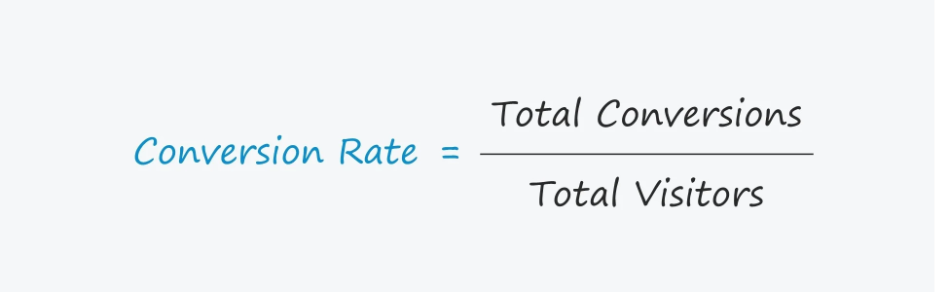
Your conversion rate is simply the percentage of visitors who actually complete a purchase, and for most eCommerce stores that number sits somewhere between 2.5% and 3% (Adobe for Business).
Table of Contents
eCommerce Conversion Rate Benchmarks by Industry (2026)
Before you start fixing anything, you need to know one thing: are you actually underperforming, or are you just comparing yourself to the wrong number?
Because here is the mistake most store owners make. They Google “average eCommerce conversion rate,” find a number like 2.5%, panic because they are sitting at 1.8%, and start randomly changing things on their website.
But that 2.5% is a blended average across every industry, every product price point, and every store size on the planet. It tells you almost nothing useful about your specific store.
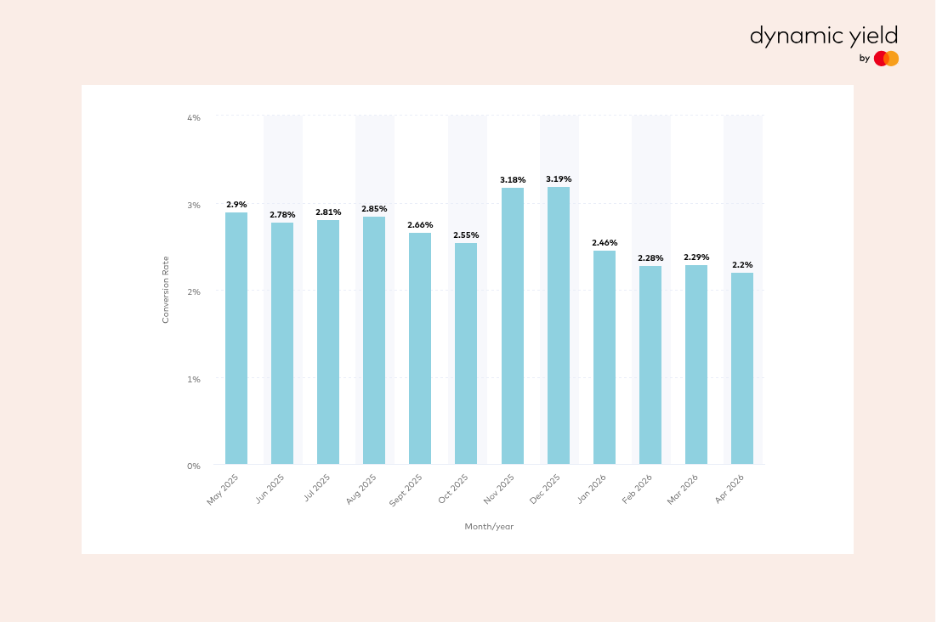
Image Source: DynamicYield
So before anything else, here is where your industry actually stands in 2026:
By Industry
| Industry | Average Conversion Rate |
| Food and Beverage | 4.9% to 6.2% |
| Arts and Crafts | 4.0% to 5.3% |
| Beauty and Personal Care | 3.5% to 4.9% |
| Pet Care | 3.5% to 4.2% |
| Health and Wellness | 3.0% to 4.0% |
| Apparel and Fashion | 2.0% to 3.0% |
| Home and Living | 1.5% to 2.5% |
| Electronics | 1.0% to 2.0% |
| Luxury and Jewelry | 0.5% to 1.5% |
Source: IRP Commerce, Dynamic Yield — March 2026
By Device
This one should make every mobile-first store owner sit up straight.
Mobile drives 75% or more of your total traffic. Which means the majority of your visitors are arriving through the channel that converts the worst.
If your mobile experience is slow or has a checkout that requires filling in eight fields on a tiny screen, you are bleeding money every single day.
By Traffic Source
Not all traffic is equal and your conversion rate by channel will prove that.
| Traffic Source | Average Conversion Rate |
| Email marketing | 2.0% to 5.3% |
| Direct traffic | 3.0% to 3.5% |
| Organic search | 2.7% to 3.0% |
| Paid search | 2.0% to 3.0% |
| Paid social | 0.7% to 1.2% |
If you are above 3.2%, you are in the top 20% of all eCommerce stores globally. Above 4.7% puts you in the top 10%.
How to Find Where Your eCommerce Store is Losing Money?
Before you touch a single button color or rewrite a product description, you need to know exactly where your store is losing people.
Step 1: The Numbers Tell You Where
Open GA4 and look at your funnel. You are looking for the biggest drop-off point between these four stages: product page, add to cart, checkout started, purchase completed.
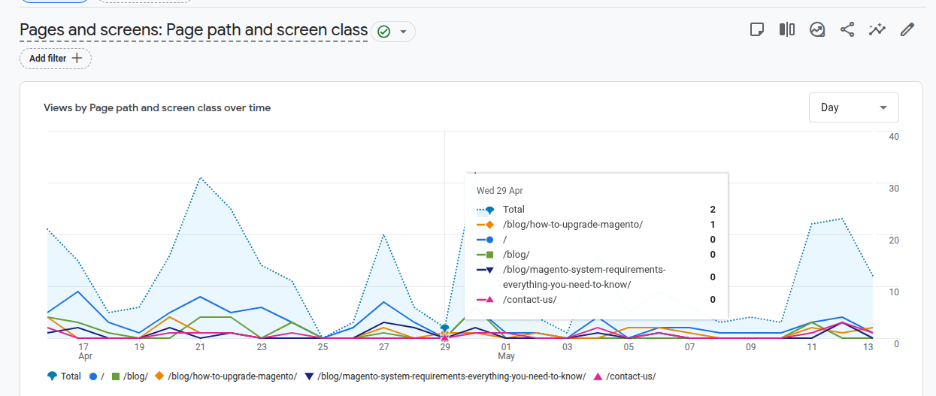
Wherever you see the steepest drop is where you start. The biggest leak in your funnel is your first priority, everything else can wait.
Also check:
- Which pages have the highest exit rate
- Where your mobile drop-off is compared to desktop
- Which traffic sources are sending you visitors who never buy
Step 2: Watch What People Actually Do
This is where most store owners skip a step and pay for it later. Install Microsoft Clarity, it is completely free and watch session recordings of real visitors on your highest-exit pages.
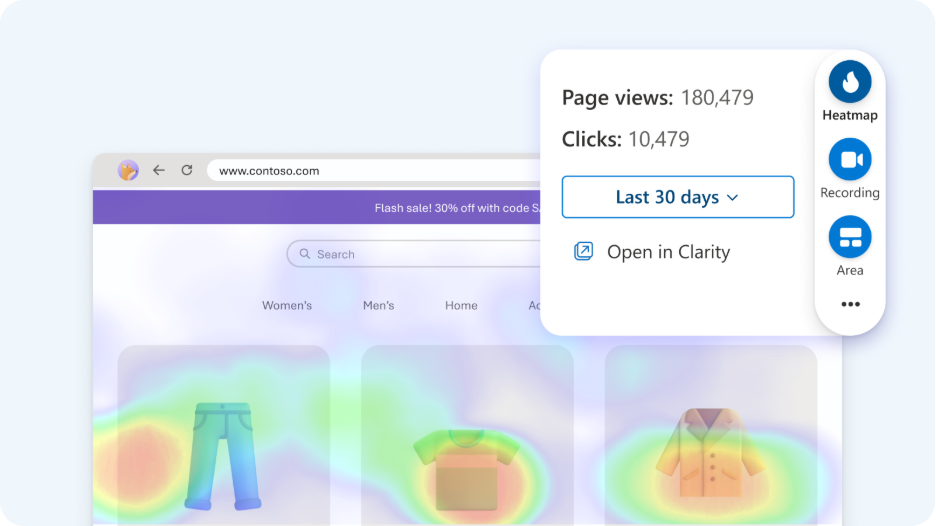
Image taken from https://clarity.microsoft.com/
You will see things that no analytics report will ever show you. Heatmaps will show you what people are clicking, what they are ignoring, and how far they are scrolling before they leave. That is your answer to why.
Step 3: Fix the Biggest Leak First
Once you know where people drop off and why, resist the urge to fix everything at once. Pick the one page with the highest traffic and the biggest drop-off. That is where a fix will have the most impact on your revenue. Fix it, measure it, then move to the next one.
Now that you know where your store is leaking, here is how to fix each part of it.
The eCommerce Conversion Funnel: Know Which Stage is Broken
Here are the five stages where your conversions are won or lost:
Stage 1: Discovery
This is before anyone even lands on your store. The traffic source determines the buyer’s intent before they see a single product. Someone arriving from a targeted email campaign is already warm. Someone clicking a paid social ad is just browsing.
If your traffic mix is heavily weighted toward low-intent sources, your conversion rate will reflect that no matter how good your store is.
Stage 2: Product Page
This is where most stores silently lose the sale. The visitor is interested enough to click on a product but something on that page does not answer the question they came with.
It may be bad images, vague descriptions, no reviews, or unclear shipping information. They leave without adding to cart and you never know why.
Stage 3: Cart
The visitor liked the product enough to add it. That is a real signal of intent. But then they see the full price with shipping, or a coupon field that makes them leave to hunt for a discount code, or simply get distracted.
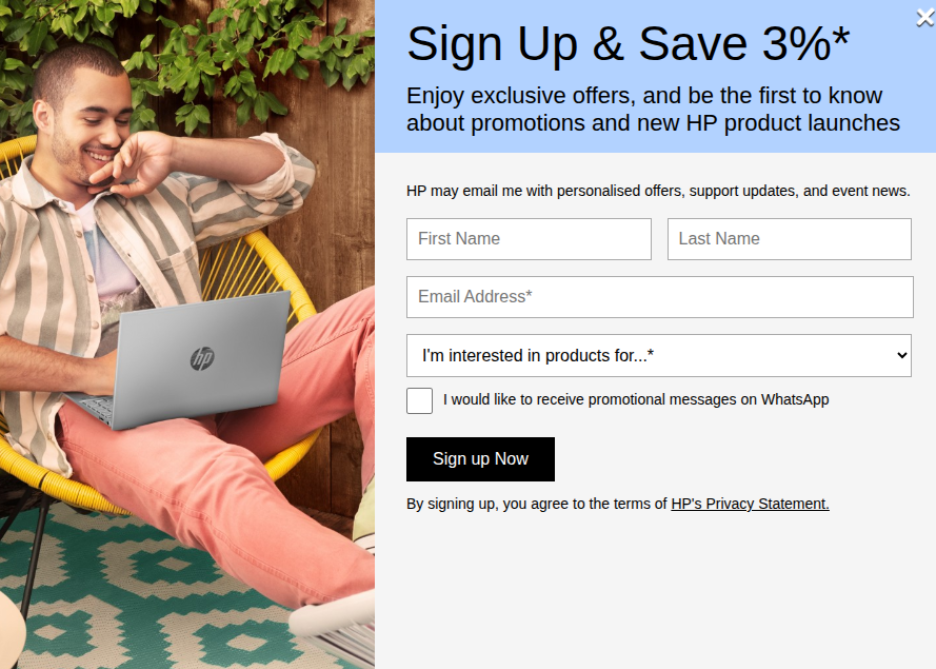
Image from HP
The cart stage is where interest meets hesitation and hesitation usually wins.
Stage 4: Checkout
This is the most fixable leak in the entire funnel and also the most neglected one. Your visitor has decided to buy. They are at the finish line.
And then you ask them to create an account, fill in eight form fields, and choose from two payment options. That friction at the highest point of intent is where a significant chunk of your revenue disappears every single day.
Stage 5: Post Purchase
Most stores treat the sale as the finish line. It is not. A customer who just bought from you is the warmest lead you will ever have.
What happens after the purchase, the confirmation email, the follow-up, the review request, the next offer, determines whether they buy once or ten times. Ignoring this stage means you are paying acquisition costs for every single order forever.
Now let us go through each stage and fix it.
12 Proven Ways to Boost Your eCommerce Conversion Rate
You know your benchmark. You know where your funnel leaks. Now lets fix it.
-
Fix Your Website Speed First
Every second your store takes to load, you lose customers. Not metaphorically. Literally. A one second delay drops conversions by 7%. At three seconds, a large portion of your visitors have already left and gone to a competitor whose site loaded faster.
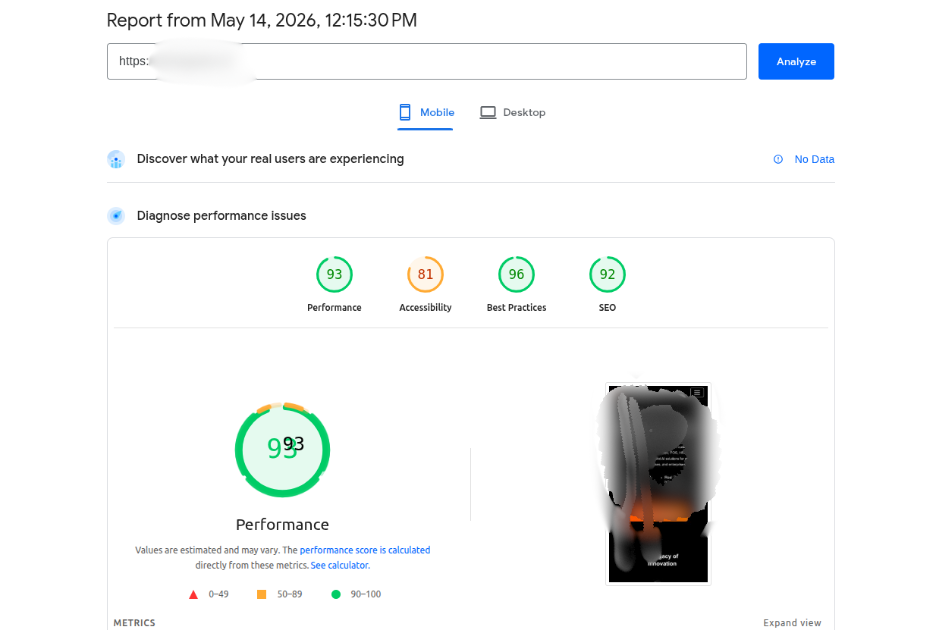
Run your store through Google PageSpeed Insights right now. Whatever score comes back, your goal is green across the board on both mobile and desktop.
-
Make Your Product Page Do the Selling
Your product page is your best salesperson. Except most product pages are doing a terrible job. Blurry images, one paragraph of vague copy, and a generic add to cart button are not going to convince anyone to spend their money.
Here is what a product page that actually converts looks like:
- Multiple high quality images showing the product from every angle.
- A short video if possible, even a 15 second clip of the product in use will outperform ten static images.
- Specific, benefit-led copy that answers the questions a buyer actually has.
- Reviews visible above the fold. Clear shipping information right next to the price.
-
Recover Your Abandoned Carts
Seven out of every ten people who add something to your cart will leave without buying. That is the global average according to the Baymard Institute and it has barely moved in a decade.
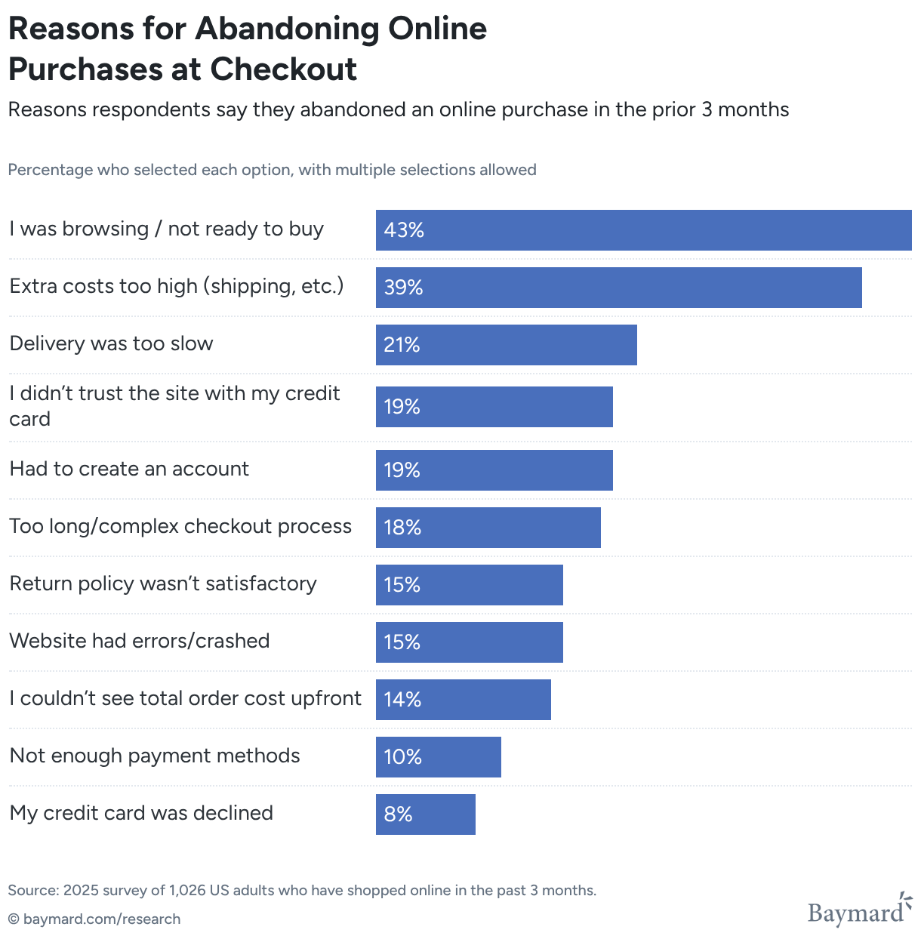
The good news is that these are your warmest leads. They wanted the product. Something got in the way. Your job is to remove that something.
Three things that recover abandoned carts:
Exit intent popups that trigger the moment someone moves their cursor toward the close button.
Abandoned cart email sequences. Send the first email within one hour of abandonment. Send a second email 24 hours later with a small incentive. Send a third at 72 hours as a final nudge. Most stores send zero of these emails and leave that revenue sitting on the table.
SMS recovery for customers who opted in. SMS open rates sit above 90%. If someone gave you their number, a single text message reminding them about their cart will outperform three emails.
-
Make Checkout Embarrassingly Simple
Your customer has decided to buy. This is the worst possible moment to put obstacles in their way. And yet most eCommerce checkouts are obstacle courses.
The rules for a checkout that converts:
Always offer guest checkout. Forcing someone to create an account before buying is one of the single biggest conversion killers in eCommerce. Let them buy first and create an account after.
Reduce form fields to the absolute minimum. If you do not need the information to process and ship the order, do not ask for it.
Show multiple payment options. Credit card, debit card, PayPal, Apple Pay, Google Pay, and at least one Buy Now Pay Later option like Razorpay or Simpl for Indian customers. Different buyers trust different payment methods.
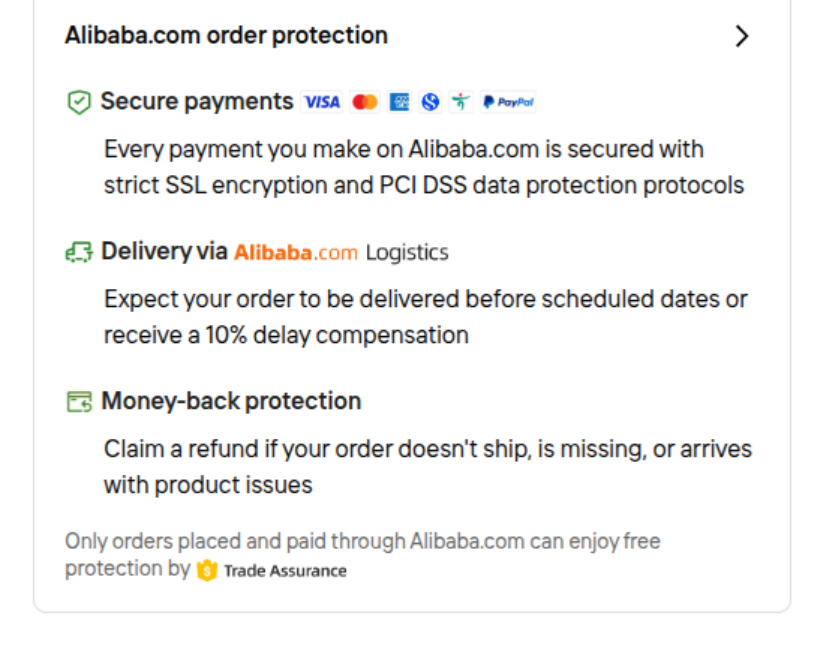
Image from Alibaba
Add a progress indicator so the buyer knows how many steps are left. Uncertainty about how long checkout will take is a quiet conversion killer.
Show trust signals at checkout. SSL badge, money back guarantee, and a clear return policy. This is the moment a buyer’s hesitation peaks. Give them every reason to proceed.
-
Build Your Store for Mobile First
Mobile brings in 75% of your traffic and converts at roughly half the rate of desktop. That is because most mobile experiences are genuinely painful to use.
Fix the mobile experience specifically:
Buttons need to be large enough to tap without zooming in. This sounds obvious. Check your store on an actual phone right now and see if it actually is.
Cut your mobile checkout to as few taps as possible. Enable Apple Pay and Google Pay so returning customers can complete a purchase in two taps without typing a single character.
Your product images need to load fast on a mobile data connection.
-
Personalize the Shopping Experience
When someone walks into a physical store for the second time and the staff remembers what they bought last time, that feels good. That feeling drives sales. Your eCommerce store can do the same thing and most stores are not doing it at all.
AI powered personalization means showing each visitor products based on what they have browsed, bought, or saved. It means your homepage looks different for a returning customer than it does for a first time visitor.
Start with product recommendations. On the product page, in the cart, and in post purchase emails. Even basic “customers who bought this also bought” logic will lift your average order value and your conversion rate at the same time.
Amazon drives 35% of its total revenue from its recommendation engine alone. You do not need Amazon’s budget to implement the same logic. Tools like Klaviyo, LimeSpot, and Reconvert make this accessible for stores of any size. You can also take the help of any ecommerce development company to embed AI.
-
Fix Your Site Search
Visitors who use your site search are telling you exactly what they want. They have high intent. They are ready to buy. Search users convert two to three times higher than visitors who just browse.
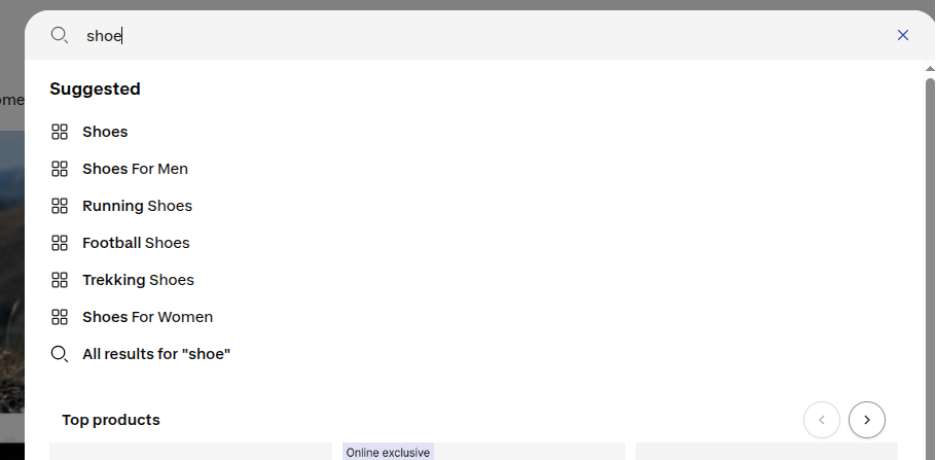
Make sure your search handles common misspellings and synonyms. If someone searches “trainers” and your store sells “sneakers,” they should still find results.
To take it further, you can also take the help of an AI agent development company to build solutions that can help your visitors shop better. Check the image below from Alibaba.
-
Increase What Each Customer Spends
Converting more visitors is one way to grow revenue. Getting each converted visitor to spend more is another, and it requires zero additional traffic.
Three tactics that work:
Upselling means showing a better version of the product someone is looking at. If they are looking at a 64GB phone case, show them why the 128GB version is worth the extra money. Keep the price difference reasonable and the upgrade logical.
Cross selling means showing complementary products. Someone buying a camera should see memory cards, a bag, and a lens cleaner in the cart or on the product page.
Free shipping thresholds are one of the highest converting tactics in eCommerce. “You are 350 rupees away from free shipping” is a sentence that has driven more upsells than almost any other single line of copy. Set your threshold just above your average order value and watch people add one more item to qualify.
-
Build Trust Before They Need to Trust You
Online shopping still requires a leap of faith, especially for first time visitors who have never heard of your brand. Your job is to shrink that leap as much as possible before they reach checkout.
Reviews are your most powerful trust tool. If you are not actively asking every customer for a review after their purchase, you are leaving your most powerful sales tool unused.
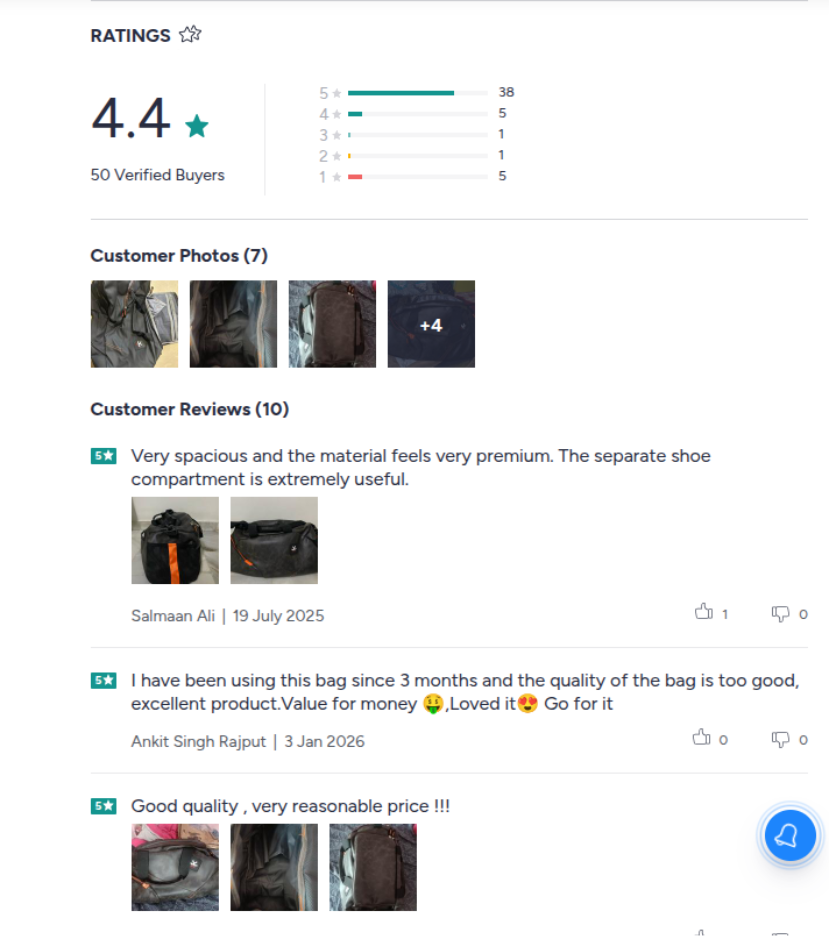
Show trust badges at checkout. SSL certificate, secure payment icons, and a clear money back guarantee. These exist to reduce the anxiety spike that happens right before someone enters their card details.
If you have been featured in any publication, mentioned by any influencer, or won any award, put it on your homepage. Social proof from outside your own brand carries more weight than anything you say about yourself.
-
Add Live Chat and Let AI Handle It
Most buyers have a question before they buy. Shipping time, return policy, size guide, whether a product works for a specific use case.
If they cannot get that answer quickly, they leave. Live chat reduces that friction instantly.
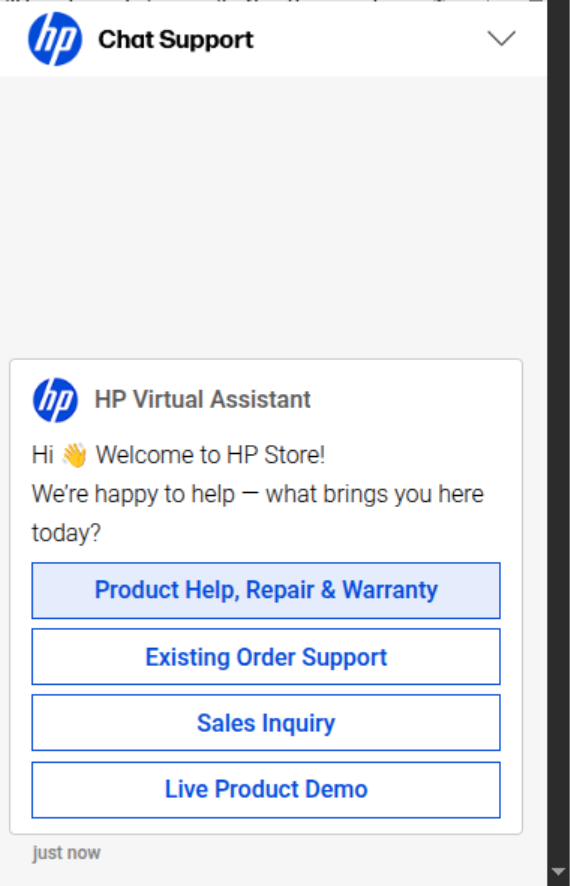
Image of Chatbot from HP website
Studies show live chat can lift conversion rates by 10 to 15% on its own. But you do not need a team available 24 hours a day to make this work.
AI chatbot development for your website can handle the most common pre-purchase questions automatically, around the clock, without any human involvement.
-
Use Pricing Psychology and Free Shipping
Price is rarely the real reason someone does not buy. Perceived value is. And the way you present your price has a significant impact on whether someone sees it as reasonable or expensive.
A few things that work:
Show the original price crossed out next to the sale price. The saving feels more real when the buyer can see what they are not paying.
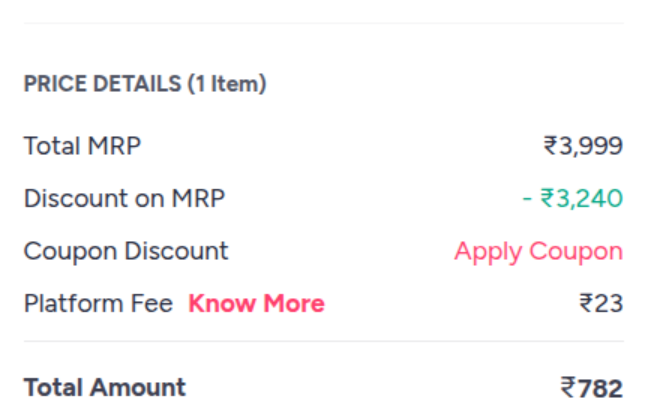
Anchor with a higher priced option first. If your product comes in three sizes, lead with the largest. Everything else looks more affordable by comparison.
For a large portion of online shoppers, free shipping is a deciding factor. Buyers respond to free shipping far more than they respond to an equivalent discount.
-
Test Everything. Assume Nothing.
Everything in this guide is a proven tactic. But proven does not mean guaranteed to work exactly the same way on your specific store with your specific audience. The only way to know what actually moves your numbers is to test.
A/B testing means showing two versions of a page to different visitors and measuring which one converts better. Version A keeps your current product page layout. Version B moves the reviews above the fold. You run both simultaneously, let the data accumulate, and let the numbers tell you which one wins.
Post-Purchase eCommerce CRO: Turn One-Time Buyers into Repeat Customers
Acquiring a new customer costs five times more than keeping an existing one. The person who just bought from you is the warmest lead in your entire database. What you do in the next 72 hours determines whether they come back or never think about you again.
-
Your Thank You Page is a Revenue Page
The moment someone completes a purchase they are at peak excitement. The psychological barrier is gone. They just said yes.
Most stores waste this moment with a generic order confirmation. Instead, put a one-click post-purchase upsell on that page.
Also ask for a review right there. You will get more responses on the thank you page than from any follow up email you send three days later.
-
The Post-Purchase Email Sequence Most Stores Never Send
| Timing | Purpose | |
| Order confirmation | Immediately | Reassure, show order details, set delivery expectation |
| Shipping confirmation | When dispatched | Tracking link, reduces support tickets |
| Check-in | 1-2 days post delivery | Shows you care beyond the transaction |
| Review request | 3-5 days post delivery | One ask, one link, make it one click |
| Replenishment or next purchase | Depends on product cycle | Right offer at the right moment |
Most stores send the first one. Some send the second. Almost nobody sends all five. That gap is where your repeat revenue is hiding.
-
Loyalty Programs: Give People a Reason to Choose You Again
Discounts bring customers back once. Loyalty programs bring them back forever.
Keep it simple. Points per purchase, a referral bonus, a birthday reward. Three mechanics, one program, meaningful impact on repeat purchase rate.
But visibility is everything. Show the points balance in order confirmation emails, on the account page, and on product pages so buyers can see how close they are to a reward before they even add to cart.
-
You have to ask for reviews.
Most stores wait for reviews to come in organically and wonder why they have fourteen reviews after two years.
Automate a review request email three to five days after delivery. Short email, one question, one link. Even a WhatsApp is a good medium just like PVR did to me when I came home after watching a movie.
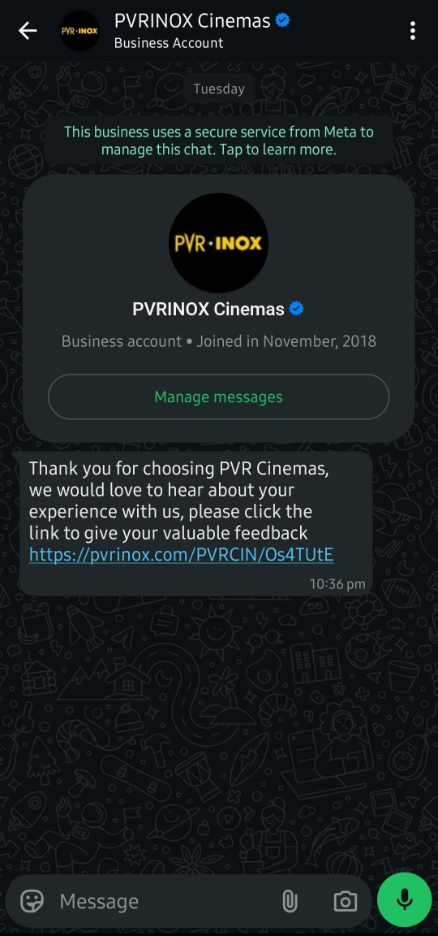
Respond to every negative review publicly and quickly. A brand that handles complaints with honesty earns more trust from new visitors than a brand with nothing but perfect scores and zero responses.
Moving Forward
I assume by now you get an idea that more traffic is not your answer. Better conversion is.
Every tactic in this guide comes back to one idea: stop paying to bring more people to a store that is not ready to convert them. Fix the leaks first and then scale the traffic.
You do not need to implement all of this at once. In fact, trying to do everything at the same time is one of the most common reasons CRO efforts fail. Pick the section of your funnel with the biggest drop-off. Start there, measure the result. Then move to the next one.
Your store already has the traffic. Now go make it count.
FAQs
Q1. What is a good eCommerce conversion rate in 2026?
It depends on your industry. The global average sits between 2.5% and 3%. If you are above 3.2% you are in the top 20% of all eCommerce stores. Above 4.7% puts you in the top 10%.
Q2. What is the biggest reason eCommerce stores have low conversion rates?
Most stores have one of three problems. A product page that does not answer the questions buyers actually have. A checkout process with too much friction at the highest point of purchase intent. Or a mobile experience that was never properly optimized. Run a funnel audit in GA4 and session recordings in Microsoft Clarity before assuming you know which one it is.
Q3. Why is my conversion rate low even though I get good traffic?
Traffic quality and conversion rate are two completely different things. High traffic from paid social or untargeted ads brings visitors with low purchase intent. Check your conversion rate by traffic source in GA4. If your organic and email traffic converts well but your paid traffic does not, you have a traffic quality problem. If everything converts poorly across all sources, the store itself needs work.
Q4. What is the average cart abandonment rate in eCommerce?
According to the Baymard Institute the global average cart abandonment rate is 70.19%. That means seven out of every ten people who add something to your cart leave without buying. The most common reasons are unexpected shipping costs, being forced to create an account, and a checkout process that asks for too much information.
Q5. How do I improve my conversion rate without increasing traffic?
Focus on the three highest impact areas first. Fix your product pages so they answer every question a buyer has before they think to ask it. Simplify your checkout to remove every unnecessary step and form field. And set up an abandoned cart recovery sequence so you are recapturing the people who were ready to buy but got distracted. These three changes alone can meaningfully move your conversion rate without a single extra visitor to your store.