
This blog explains the real cost of iOS app development in 2026, covering pricing factors, development stages, and budget planning insights to help startups and businesses make informed investment decisions.
-
 iOS app development cost ranges based on app complexity and features
-
Factors affecting pricing including design, backend, testing, and location
-
Practical tips to estimate and optimize your iOS app development budget

There are many misconceptions about the cost of iOS app development in the market. Based on the quotation you receive from a dedicated iOS developer you have hired or the mobile app development services you are using, it may seem minuscule or too expensive.
So, how do you find out if your current estimated iOS app development charges are towards the high end of the spectrum or low end?
There are a few ways to do that. First and foremost, there is no simple way to tell the cost of your services without knowing the specs of your app.
A calculator is an app, so is Uber, Amazon, Instagram, or TikTok. All the top iOS development companies can build them, but engineering reality is different for all of them.
That’s why in this guide, we have given an in-depth breakdown of how much do the iOS app development costs in 2026.
Let’s first start with straight-forward
Table of Contents
General iOS App Development Cost Breakdown
Before we go into the custom software development services you need, let’s talk about broad and general iOS app development services cost.
| App Type | Estimated Development Time | India Cost (USD) | USA Cost (USD) | Europe Cost (USD) | Middle East Cost (USD) |
| Simple / MVP App | 1 – 4 months | $7,999 – $24,000 | $29,000 – $65,000 | $24,000 – $60,000 | $19,999 – $55,000 |
| Medium Complexity App | 3 – 8 months | $25,000 – $74,000 | $119,000 – $199,000 | $75,000 – $180,000 | $59,000 – $125,000 |
| Complex / Enterprise App | 8+ months | $74,000+ | $199,000+ | $150,000+ | $140,000+ |
Without a doubt, developer location is one of the biggest contributors to iOS app development charges. There are 6 main regions where you can easily find junior, mid level, senior or average iOS developers.
Those regions are India, USA, UAE, Saudi Arabia, western and eastern Europe.
| Region | Junior (0–2 yrs) | Mid-Level (2–5 yrs) | Senior (5+ yrs) | Average / Freelance |
| India | $16 – $26/hr | $30 – $48/hr | $50 – $75/hr | $20 – $45/hr |
| USA | $74 – $102/hr | $105 – $145/hr | $145 – $185+ /hr | $65 – $155/hr |
| Western Europe (UK, Germany, France) | $65 – $85/hr | $85 – $115/hr | $115 – $155/hr | $75 – $125/hr |
| Eastern Europe (Poland, Ukraine, Romania) | $35 – $50/hr | $50 – $70/hr | $70 – $95/hr | $45 – $75/hr |
| Middle East (UAE) | $65 – $100/hr | $95 – $138/hr | $135 – $185/hr | $125 – $255/hr (agencies) |
| Middle East (Saudi Arabia) | $55 – $90/hr | $85 – $128/hr | $125 – $165+ /hr | $55 – $95/hr |
India: The Most Cost-Effective Market
India is usually the first place people look when they want to keep iOS app development costs under control. Not because quality is low, but because the market is deep, competitive, and is already structured around global outsourcing.
Most iOS app development companies already understand the prerequisites, norms, standards, and preferred development practices. From entry level mobile app developers for hire to senior developers or specialized agencies already have a deep market presence.
You can get a scalable architecture, AI features, or enterprise-grade apps that can rival the western counterparts in less than half the cost. Monthly engagement and per-project models are very popular among mobile app development services users, allowing companies to hire dedicated iOS developers or small teams at predictable costs.
United States: Premium Pricing, Premium Expectations
The United States sits at the top end of iOS development pricing, and that’s not changing anytime soon. What you’re really paying for in the US is not just code, it’s process, communication, accountability, and experience with complex products.
Full-time hiring is common, but freelance and contract-based work is also widely used for short-term or specialized needs.
High living costs, contract-specific work, and mature delivery standards all contribute to higher rates.
Western Europe: Balanced but Not Cheap
Western Europe sits somewhere between the US and lower-cost regions, but it’s far from uniform. Rates vary widely by country, with some markets leaning closer to US pricing and others offering more balance.
Similar to Indian devs, Western Europe developers are known for strong engineering discipline, good documentation habits, and familiarity with data protection and compliance-heavy environments. iOS specialists in this region often command higher rates than general mobile developers due to Apple’s strict platform standards.
Agencies here have a deep preference for enterprise and long-term projects.
Eastern Europe: The Quality-to-Cost Sweet Spot
Eastern Europe has earned its reputation as one of the best value regions for iOS development. Countries in this region consistently deliver strong engineering quality at rates that are noticeably lower than Western Europe or the US.
Many teams have long experience working with international clients and distributed teams. Eastern Europe is a popular choice for companies that want dependable delivery without paying premium rates.
Middle East (UAE): High-End Regional Market
The UAE, especially cities like Dubai and Abu Dhabi, has positioned itself as a regional tech hub. As a result, iOS developer rates here are on the higher side compared to other Middle Eastern countries.
Developers in the UAE often work on enterprise, government, or compliance-heavy projects. Mid-level and senior developers are expected to handle architecture, integrations, and stakeholder coordination. Freelancing exists, but agency-led development is more common, especially for full-cycle projects.
Middle East (Saudi Arabia): Competitive and Growing Fast
Saudi Arabia is rapidly emerging as a serious technology market, driven by large-scale digital transformation initiatives. iOS development costs here tend to sit below UAE levels while still maintaining strong delivery standards.
Freelance and agency models both exist, giving companies flexibility depending on project size and timeline. Monthly engagement costs are competitive, making Saudi Arabia an attractive option for businesses targeting the region or needing local expertise.
Other Factors Affecting Price iOS App Development Services Cost
There are various reasons why companies give you a wide range of app development costs. Besides the developer expertise, there are lot of other variable cost that goes into providing custom software development services.
Let’s discuss some of the other factors that affect your app development.
App Store Account: $99/year (Apple Developer Account)
Publishing your app on the iOS App Store requires an Apple Developer Account. However, it is not free and requires a $99/year cost that needs to be paid every year to be able to continue distributing via App Store.
If you are developing an app for internal use only within your organization then you will have to pay $299/year for the access.
You can also create a free account, but you won’t be able to distribute the app using the same. It only allows you to access documentation and development tools.
| Account Type | What It’s Used For | Cost |
| Standard Developer Account | App Store publishing, TestFlight, certificates | $99 / year |
| Enterprise Account (optional) | Internal enterprise distribution | $299 / year |
App Store Deployment & App Store Optimization
Publishing your app doesn’t mean that your app will go viral, and users will flock towards it. No matter how good your app is, you will need to use the app store optimization services. Think of it as SEO for App Store, it ensures that your App Ranks for the keyword you want.
You are not done once your app is submitted and approved; visibility and compliance are always ongoing work.
| Activity | Cost |
| Initial Submission & Compliance | $1,500 – $5,000 |
| Initial ASO Setup | $2,000 – $5,000 |
| Ongoing ASO (Monthly) | $200 – $500 |
| Annual ASO Cost | $2,400 – $6,000 |
Cloud Hosting/Backend ($150–$1000+/month or $1,800–$12,000+ annually)
Unless you are making a simple calculator app, you would need a cloud hosting solution to serve your files, images, assets, and store your user-generated data.
Depending on your App type and requirement, it can easily be up to $6000-$8000. A simple app would obviously require a basic backend, but a global mobile app would need fast hosting along CDN to ensure smooth user experience.
Think about how fast and seamless video loading experience you get on social media, entertainment, and other platforms. It is also the case with eCommerce apps that are video, text, and images heavy as well.
| Backend Scope | What’s Included | Monthly Cost | Annual Cost |
| Basic Backend | Auth, database, APIs | $150 – $300 | $1,800 – $3,600 |
| Standard Startup Backend | Analytics, logs, backups | $300 – $500 | $3,600 – $6,000 |
| Media-Heavy Apps | Video, images, storage | $800 – $2,000 | $9,600 – $24,000 |
| Global / CDN-Based Apps | CDN + performance layers | +$200 – $1,000 | +$2,400 – $12,000 |
Annual Maintenance & Updates: $2,000–$40,000 (15–20% of Initial Development Cost)
Maintenance is not optional. Every year brings new iOS versions, device changes that can be leveraged for better experience, security fixes, and features.
Apple gives developers, app publishers, and brands 90 days in general to support the latest iOS versions.
Similarly, a common mistake is assuming maintenance is minimal after launch. In practice, the first year is often the most expensive.
| Maintenance Level | What It Covers | Annual Cost |
| Basic | Bug fixes, OS compatibility | $4,000 – $8,000 |
| Standard | Performance, small improvements | $8,000 – $15,000 |
| Post-Launch Fixes & Support | User-reported issues, bug fixes | $2,000 – $40,000 |
| Regulated / Enterprise Apps | Compliance + updates | 15–25% of development cost |
Security & Compliance: $500–$40,000+ for regulated industries
One of the major costs that can turn out to be a surprise is the security and compliance cost. They are commonly underestimated as team usually don’t factor them in to long term total cost of operations.
Compliance is very important whenever finance, healthcare, or any enterprise is involved. Think of security and compliance as asset that mitigate risks and protect your brand from lawsuits, data breaches, fraud, and poor reputation.
| Security Level | What’s Included | Cost Impact |
| Basic App Security | Encryption, secure storage | $500 – $1,500 (setup) |
| Ongoing Security Ops | Monitoring, updates | $300 – $1,500 / month |
| Healthcare (HIPAA-style) | Policies, audits, logging | +20–40% dev cost |
| Fintech / PCI-DSS | Compliance + monitoring | $15,000 – $40,000 setup |
| Annual Pen Testing | Required for compliance | $5,000 – $15,000 / year |
QA & Testing: $10,000–$40,000 (integral to development)
First impressions last, so its important to get the app right in the first try to make sure you are not review bombed, downranked in search results, or lose users.
Lack of QA & Testing can harm long-term post-launch stability. Good QA reduces future maintenance costs. Poor QA increases them.
| QA Scope | What’s Tested | Cost |
| Basic QA | Core flows | $5,000 – $8,000 |
| Standard QA | Devices, regression | $10,000 – $20,000 |
| Advanced QA | Performance, security | $20,000 – $40,000 |
| Automation (Enterprise) | CI-level testing | $40,000+ |
Third-Party Integrations: $500–$5,000 depending on complexity
Not every feature/function on your app can be developed in-house, and that’s where third-party integration comes in.
In revenue-generating apps, recurring integration fees often exceed hosting costs. Whether it’s integrating your ERP, CRM, ChatBots, Payment Gateway, logistics api, or any other feature that provide real time update is usually made possible with integrations.
Integration is only done once, but most integrations have a monthly or yearly cost associated with them. It might be free to get the payment gateway installed on your app, but they usually charge a % of your transaction amount or GMV. Tools, on the other hand, require a fixed monthly or yearly subcriptions.
| Integration Type | One-Time Setup | Recurring Cost |
| Payment Gateways | $2,000 – $10,000 | % per transaction |
| Analytics Tools | $500 – $2,000 | $80 – $200 / month |
| Messaging / SMS | $1,000 – $5,000 | $50 – $500 / month |
| CRM / ERP | $2000 – $15,000 | $50 – $5,000+ / month |
| Maps & Location APIs | $1,000 – $5,000 | Usage-based |
Type Of App
As the complexity of the app increase so does the cost. It’s simply because your app may require complex logic, AI/ML, or custom integration which leads to high iOS app development cost.
Here is a broad list of the general costs of iOS app development. However, It is to be noted that the price may vary depending on the region and developer expertise.
| Level | Examples | Key Features | Dev Time | Cost Range (USD) |
| 1: Simple Utility | Notes, To-do App | Single platform, minimal UI, no backend | 2–4 weeks | $1,000–$8,000 |
| 2: Basic CRUD | HR Portal, Booking, CRM, Inventory | Backend + APIs, Auth, basic admin | 4–8 weeks | $8,000–$20,000 |
| 3: Marketplace | eCommerce, Food Delivery, Travel | Payments, multi-role, notifications | 8–16 weeks | $20,000–$50,000 |
| 4: Visualization | Financial Charts, Analytics, ECG | High-performance UI, live data | 10–20 weeks | $30,000–$70,000 |
| 5: Gaming | 2D/3D Games, Multiplayer | Game loop, physics, animations | 12–24 weeks | $40,000–$150,000+ |
| 6: Hardware | Smartwatch, IoT, ECG Devices | Bluetooth/USB, device state | 12–20 weeks | $50,000–$120,000 |
| 7: Real-Time DSP | ECG Analysis, Audio, Sensors | Live streams, signal filtering | 16–32 weeks | $70,000–$200,000+ |
| 8: AI/ML | Image Recognition, Health AI | Data pipelines, ML training | 20–40 weeks | $80,000–$250,000+ |
| 9: Regulated/Safety | Medical Apps, Banking, Automotive | FDA/HIPAA/GDPR compliance | 24–52+ weeks | $150,000–$500,000+ |
Development Framework Selection
There are two approaches for developing your iOS app. You can either go with native or cross-platform development. Swift is the native language for iOS app development and languages like kotlin and Flutter are for cross platform app development framework.
To put it simply, native language gives you the best performance, but cross platform saves money, time and effort if you decide to undertake Android app development services later.
Read more: Why Cross Platform is Better Than Other Platform ?
There are pros and cons of each framework
Native Swift iOS Development Services gives:
- Best performance
- Full access to iOS features
- Long-term flexibility
Cross-platform App Development frameworks:
- Reduce simultaneous development cost
- Speed up MVPs
- Can limit deep platform integrations later
Short-term savings do not always mean lower ios app development cost over the product’s lifetime
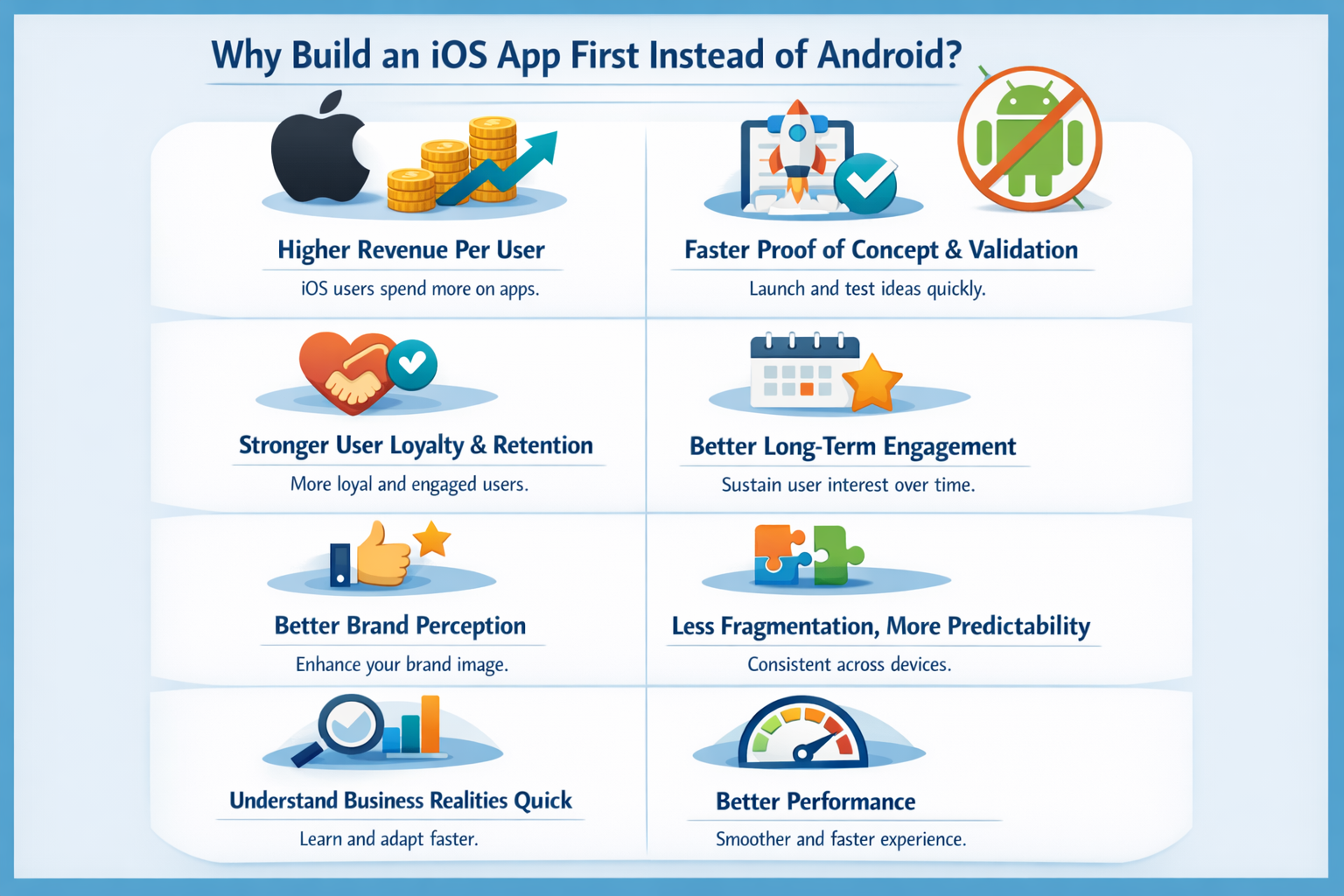
Why Build an iOS App First Instead of Android?
There’s a reason why startups to large enterprises choose to launch on iOS before Android. It’s not about platform preference. It’s about return on effort.
When you’re validating a product, every decision should answer one question: Where do I get faster feedback and better returns for the same investment?
For many businesses, iOS answers that question first.
Higher Revenue Per User
One of the biggest reasons you should start with iOS is because of higher average revenue per user.
According to SensorTower, iOS consistently generates a much larger share of global mobile revenue compared to Android. Despite Android’s higher user base, iOS often outperforms it in total revenue contribution across apps, subscriptions, and in-app purchases.
That leads to a higher average revenue per user (ARPU), average order value, and a much stronger customer lifetime value (LTV).
| Platform | App Revenue | Revenue/Share Ratio |
| iOS | $159 billion | 2x (punches above weight) |
| Android | $76 billion | 0.43x (underperforms) |
In practical terms:
- You need fewer users on iOS to validate pricing
- Monetization experiments become meaningful faster
- Paid acquisition performs better because lifetime value is higher
This directly impacts what is the cost of building an iOS app versus what it earns back. Even if development costs are similar, the revenue curve is often steeper on iOS.
Faster Proof of Concept and Validation
When you’re testing an idea, speed matters more than coverage. Fewer devices, fewer fork versions among active users, and consistent hardware capabilities leads lower over app development cost and time.
Benefits to companies:
- Faster MVP builds
- Fewer device-specific edge cases
- Quicker testing cycles
- Faster release and iteration
That speed reduces waste. You learn what users actually want before committing to broader platform expansion.
Stronger User Loyalty and Retention
iOS users tend to be more loyal to both the platform and the apps they use regularly. Retention rates are generally higher, along with the willingness to spend, especially for:
- Subscription apps
- Productivity tools
- Lifestyle and wellness products
Higher retention means:
- Lower churn
- More predictable revenue
- Better long-term engagement
If your product depends on habit-building or long-term usage, launching on iOS first gives you a more stable user base to learn from.
Brand Perception and Market Positioning
A well-built iOS app often sets the standard for how the product is perceived across platforms. When Android development follows later, it benefits from clearer direction, validated UX, and proven feature sets.
Moreover, like it or not, iOS still carries a premium perception, so launching first on iOS allows you to:
- Focus on polish and experience
- Refine your design language
- Build credibility early
The result is better word-of-mouth, stronger reviews, and a more confident brand story.
Less Fragmentation, More Predictability
One of the biggest technical advantages of iOS is rapid OS adoption. A large majority of iOS users update their devices within months of a new release.
This has real cost implications:
- Fewer versions to support
- Less regression testing
- More predictable behavior across devices
For teams, this means:
- Lower QA effort
- Faster bug resolution
- Fewer unexpected edge cases
Android fragmentation often forces teams to spend more time supporting older versions, devices, and manufacturers, something that can significantly increase long-term Android app development cost.
The Business Reality Behind the Decision
Choosing iOS first is rarely about avoiding Android. It’s about:
- Validate pricing faster
- Learn user behavior sooner
- Build a strong base before scaling
All of this affects not just how much does iOS app development costs, but how efficiently that cost turns into real business value.
Better Performance
One often overlooked advantage of building an iOS app first is performance consistency. Apple controls both the hardware and the software. That tight integration shows up in day-to-day app behavior.
iOS apps run on a limited, well-defined set of devices. The same company designs the chip, the operating system, and the APIs your app uses. As a result, performance is easier to predict and optimize.
From a development standpoint, this means:
- Fewer performance bottlenecks caused by hardware variations
- More reliable memory and background process handling
- Smoother animations and UI transitions
- Better battery efficiency for long-running or background tasks
For users, this translates into apps that feel:
- Faster to load
- More responsive
- Less prone to random crashes or slowdowns
How to Save iOS App Development Cost Without Compromising?
You don’t need to find the cheapest iOS app development company or dedicated iOS app developer to reduce costs. Nor do you need to cut corners to give subpar experience to your end users.
We would recommend following some of the steps mentioned below to reduce iOS development charges.
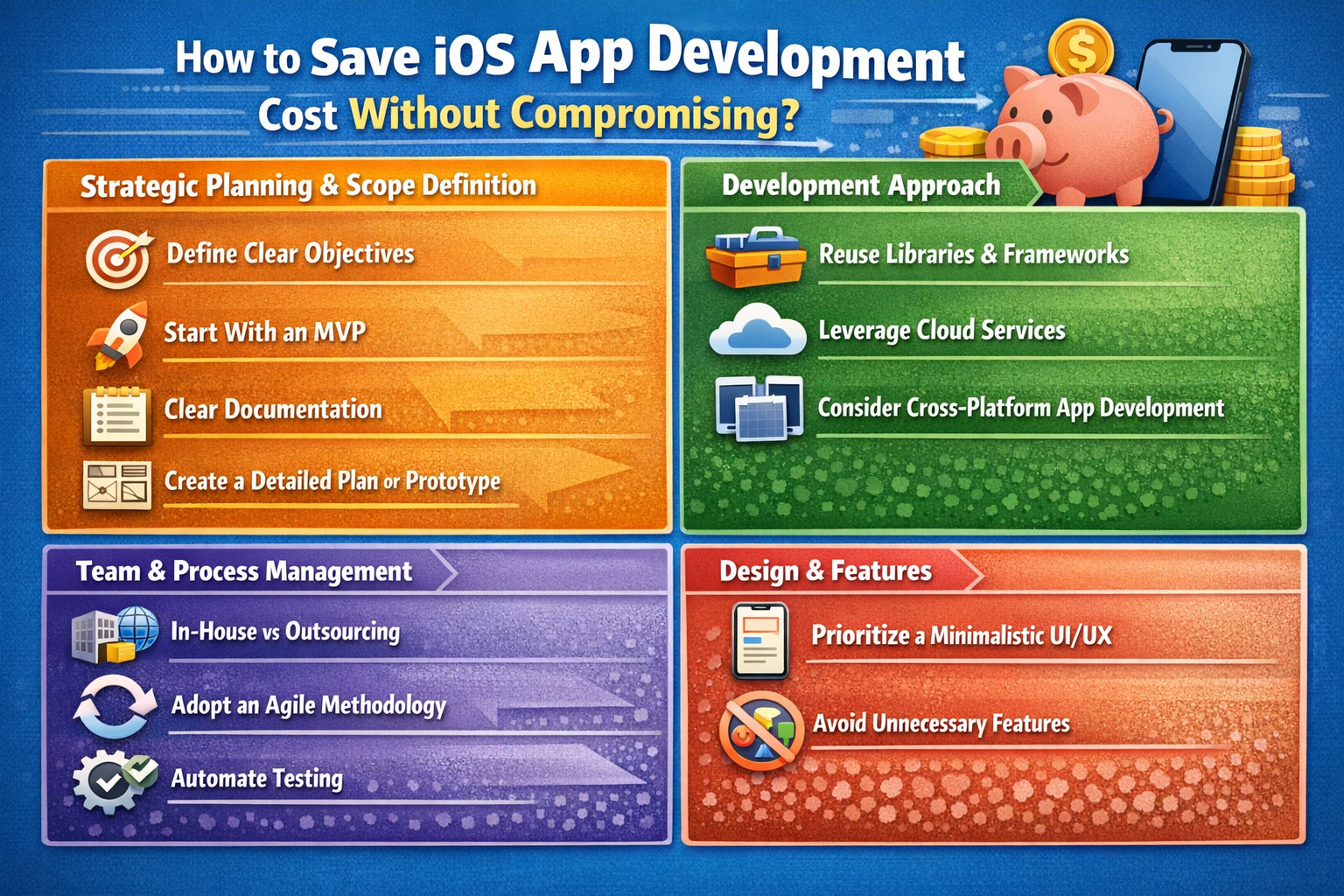
Strategic Planning & Scope Definition
A little planning goes long way when it comes to managing cost. Time and effort spent here saves money in the short as well as long term.
Define Clear Objectives
Before a single screen is designed, discussion or brainstorming happens, you should be able to answer:
- What problem does this app solve?
- Who is it for?
Clear objectives prevent scope creep, which is one of the biggest silent budget killers. When goals are vague, features keep getting added mid-development, leading to delays, rework, and higher costs.
Start With an MVP
Don’t launch everything at once. It’s the fastest way to burn budget, so build a minimum viable product. Your app doesn’t need to support all the cutting edge features straight out of the development.
An MVP forces focus:
- Build only what users actually need on day one
- Validate assumptions before scaling
- Learn from real usage, analytics and feedback not internal opinions
Measure how users behave. Learn what matters. Expand intentionally.
This approach is one of the most reliable ways to control iOS app development services cost while still moving fast and growing with confidence.
Clear Documentation
Good documentation acts as a single source of truth for everyone involved, designers, developers, testers, stakeholders, and makes future development easier. When documentation is weak, assumptions creep in, which lead to rework and effect your budgets.
Well-documented projects move faster, cost less, and create fewer conflicts.
Create a Detailed Plan or Prototype
Wireframes and prototypes aren’t just design artifacts, they’re cost-control tools.
Early prototyping helps you:
- Spot broken user flows
- Identify unnecessary screens
- Validate ideas before coding
Fixing a mistake on a wireframe costs almost nothing. Fixing it after development has started can be painfully expensive. Investing time here saves far more money than it costs.
Development Approach
How you approach development just as much as planning phase.
Reuse Libraries & Frameworks
Not everything needs to be built from scratch. Well-maintained libraries and frameworks already solve:
- Authentication
- Networking
- Analytics
- Common UI patterns
Smart iOS development companies reuse existing templates and module to reduce development time, lower risk, and keeps quality high. Custom code should be reserved for areas where it truly adds business value. No need to waste development time on a custom solution if an alternative already exists.
Leverage Cloud Services
Modern cloud platforms remove the need to build and manage everything yourself.
Using managed services for:
- Authentication
- Databases
- File storage
- Notifications
Reduces both development time and long-term in house expensive maintenance effort. You pay for what you use, scale as needed and avoid heavy upfront infrastructure costs.
Cloud services are especially effective for startups and MVPs.
Consider Cross-Platform App Development
If your goal is speed to market and early validation, cross-platform development can be a smart choice.
A shared codebase can:
- Reduce initial development cost
- Speed up launches across platforms
- Simplify early maintenance
That said, it’s a trade-off. Native apps often offer better performance and deeper platform integration. The key is choosing based on current goals, not long-term assumptions.
Team and Process Management
The right team and process can save more money than any technical shortcut.
In-House vs Outsourcing
Outsourcing can significantly lower iOS app development company cost, but only if done carefully.
Look for partners who:
- Sign NDAs
- Have proven delivery experience
- Show strong social proof on LinkedIn, Clutch, and Google
- Communicate clearly and consistently
Go in-house if:
- Cost isn’t a constraint
- You already have a capable team
The wrong choice here can double costs. The right one can halve them.
Adopt an Agile Methodology
Agile isn’t just a buzzword, it’s a cost-control mechanism and ensure smooth development.
Short development cycles allow teams to:
- Spot issues early
- Adjust scope based on feedback
- Avoid building unused features
Frequent reviews and iterations reduce the risk of large, expensive course corrections later.
Automate Testing
Manual testing alone doesn’t enable you to scale.
Automated tests:
- Catch regressions early
- Reduce repetitive QA effort
- Prevent costly production bugs
While automation requires upfront investment, it saves money over the life of the app, especially as features grow.
Design and Features
Similar to the language or framework that you have selected for development, design decisions have long-term cost implications.
Prioritize a Minimalistic UI/UX
Simple designs aren’t boring; they are efficient.
A clean, familiar UI:
- Reduces design and development effort
- Lowers user confusion
- Simplifies testing and maintenance
Highly customized, animation-heavy designs look great, but they cost more to build and more to maintain.
Avoid Unnecessary Features
Every feature has a cost:
- Design time
- Development effort
- Testing
- Maintenance
If a feature doesn’t directly support your core goal, question it. Many apps fail not because they lack features, but because they have too many. Building less, but better, is one of the smartest ways to stay within budget.
Additional Development Trends Shaping iOS App Costs
iOS app development in 2026 is no longer just about building features. Costs are being influenced by platform-level shifts, design mandates, AI expectations, compliance complexity, and new device categories. Most teams will see their budgets increase, not because they’re building more, but because Apple’s ecosystem itself is demanding more.
For most apps, overall development and upgrade costs are likely to rise somewhere between roughly a quarter to almost half compared to previous years. However, teams that make the right architectural choices, especially around frameworks, can absorb a meaningful portion of that increase instead of feeling it fully.
Liquid Glass Design System
Apple’s new design language represents the most dramatic visual shift since the early iOS days. It’s not a cosmetic update. It fundamentally changes how interfaces are rendered, animated, and perceived. Translucent layers, physics-based motion, dynamic blur, and glass-like depth effects are now part of the core experience.
The important part: this change is not optional. Apple has made it clear that older visual styles will be phased out in upcoming OS releases. That means existing apps will need redesign work whether teams planned for it or not.
The cost comes from two places. First, design work, rethinking layouts, contrast, accessibility, and interaction patterns. Second, engineering work, implementing real-time visual effects that respond to motion, lighting, and device capabilities. Almost every UI element is touched in some way, from buttons to navigation surfaces.
Apps built with modern Apple frameworks absorb this change more easily. Apps relying on older UI stacks or cross-platform abstractions face higher effort because the visual effects have to be recreated manually. For a typical production app, this redesign alone can add several weeks of work and push budgets noticeably upward.
The practical takeaway is simple: the longer an app delays modernization, the more expensive this transition becomes later.
AI and Machine Learning
AI features are no longer perceived as innovation. In many categories, they are becoming baseline expectations. Users now assume apps will personalize content, predict intent, automate tasks, or assist through conversational interfaces.
The cost impact varies widely depending on ambition. Lightweight, on-device intelligence, such as smart suggestions or image analysis, adds moderate development effort upfront but keeps operating costs low. More advanced systems, especially those involving custom models or real-time processing, introduce higher build costs and long-term maintenance complexity.
A noticeable shift is happening toward on-device intelligence rather than cloud-heavy AI. This improves privacy, reduces latency, and avoids ongoing API fees, but it raises the initial engineering effort. Teams must balance upfront investment against long-term savings.
In 2026, skipping AI entirely may save money in the short term, but it risks making the product feel outdated within a year.
SwiftUI Adoption
One of the few trends working in developers’ favor is the industry-wide move toward SwiftUI. Apple is clearly positioning it as the default way to build interfaces going forward, while older frameworks are slowly becoming legacy.
SwiftUI reduces code volume significantly, which directly lowers development time, testing effort, and bug surface area. It also integrates seamlessly with Apple’s new design system, meaning visual updates come with far less manual work.
Teams adopting SwiftUI early often find that UI changes which previously took days now take hours. Cross-device support also becomes easier, as the same code can adapt across phones, tablets, and newer platforms.
The short-term learning curve exists, but for most teams, the productivity gains outweigh it quickly. Over the lifespan of an app, SwiftUI is not an added cost, it’s a cost reducer.
VisionOS and Spatial Computing
Spatial computing is no longer experimental, but it is still niche. Supporting immersive environments requires a completely different design mindset, new interaction models, and specialized skills that are not widely available yet.
Even adapting an existing app for spatial use involves more than resizing screens. Depth, motion, gaze, gestures, and comfort all become part of the design equation. Testing also becomes more complex because simulators are insufficient for real-world validation.
For apps with a large, engaged user base, or products where immersion adds real value, this investment may make sense. For most apps, however, the cost-to-return ratio in 2026 remains questionable.
The safer strategy is observation rather than early adoption, unless spatial experiences directly align with the product’s core value.
App Store Policy Changes
Recent regulatory pressure has made App Store rules more fragmented, not simpler. What used to be a single global monetization model now varies by region, payment method, and legal framework.
While headline commission numbers may look slightly better on paper, the real cost appears elsewhere: additional engineering logic, region-specific flows, reporting overhead, and ongoing legal review. Subscription-based apps are hit the hardest, as pricing and payment logic must adapt dynamically.
This complexity slows experimentation and increases operational load. In practice, teams now spend more time maintaining compliance than optimizing growth.
The cost isn’t just financial,it’s speed and flexibility.
Swift 6 and SwiftData
The evolution of the Swift language and its data frameworks doesn’t usually show up in budget discussions, but it should. Improved concurrency handling reduces subtle bugs. Cleaner data layers cut boilerplate code. Cross-platform consistency simplifies long-term maintenance.
Most teams incur a short training phase to adopt these tools properly. That cost is real, but the payoff shows up quickly in fewer bugs, faster development cycles, and cleaner architectures.
This is one of the rare areas where investing early actually prevents future costs instead of adding to them.
Optimization for 5G
High-speed connectivity enables impressive experiences, real-time collaboration, multiplayer interactions, live media, but not every app needs them. Leveraging ultra-low latency requires backend changes, synchronization services, and additional infrastructure.
For apps built around immediacy, this investment can unlock new capabilities. For others, it adds cost without clear user benefit.
In 2026, 5G optimization is a strategic choice, not a default requirement.
What This Means for Real App Budgets
When all these factors are combined, even small apps feel the impact. A product that once launched comfortably at a modest budget may now require a noticeably higher investment just to meet platform expectations.
Mid-sized apps see the sharpest jumps, as they must balance design compliance, basic AI features, and monetization complexity. Premium products face the steepest increases, especially if they pursue advanced intelligence or new device categories.
The key insight is this: cost increases are driven more by ecosystem changes than by feature scope.
Practical Ways Teams Are Controlling Costs
Teams that adapt early spend less later. Migrating to modern frameworks reduces redesign effort. Using pre-trained intelligence instead of custom models limits AI spend. Applying new design systems selectively—focusing on high-impact screens—keeps redesign costs contained.
Deferring emerging platforms until there is clear user demand avoids premature investment. Leveraging managed backend services eliminates unnecessary infrastructure work.
The most successful teams aren’t spending less by cutting features. They’re spending smarter by aligning with where the platform is going, not where it’s been.
7 MAJOR TRENDS & COST IMPACT (Adjusted)
| Trend | Cost Impact | Severity | Must-Do? |
| 1. Liquid Glass Design | +$9K – $38K | ⭐⭐⭐⭐⭐ | YES (mandatory by iOS 27) |
| 2. AI / ML Integration | +$18K – $95K+ | ⭐⭐⭐⭐ | No (but increasingly competitive) |
| 3. SwiftUI Adoption | –12% to –28% dev time | ⭐⭐⭐⭐ | Recommended |
| 4. visionOS Support | +$48K – $190K | ⭐⭐⭐ | No (niche use cases) |
| 5. App Store Policy Changes | +$9K – $47K | ⭐⭐⭐ | YES (compliance-driven) |
| 6. Swift 6 & SwiftData | +$1.8K – $4.7K (training) | ⭐⭐ | Gradual |
| 7. 5G Optimization | +$4.5K – $18K | ⭐⭐ | Optional |
Final thought on iOS App Development Cost
There is no universal ios app development cost calculator that can accurately calculate cost without considering your nuances.
If someone gives you a flat number without asking about integrations, scale, compliance, or long-term goals, you already know it’s a trap to get you through the door.
Yes, this guide exists, but it can help you walk into that conversation prepared.
FAQs
Q1. How much does it cost to put an app on iOS?
Publishing an app on iOS requires an Apple Developer Account, which costs $99 per year. Enterprise distribution costs $299 per year and is only needed for internal apps.
Q2. Are iOS apps profitable?
Yes. iOS apps typically generate higher revenue per user, especially through subscriptions and in-app purchases, making them more profitable for many businesses.
Q3. Does Apple still take a 30% cut for in-app purchases?
Apple can take up to 30%, but many developers pay 15%, especially on subscriptions after the first year. Rules vary by region and payment method.
Q4. Is it better to hire freelancers or an iOS app development company?
Freelancers suit small MVPs with clear scope. An iOS app development company offers reliability, faster delivery, and long-term cost efficiency for growing or complex apps.
About the Author


Related Articles